A few days ago, I had to update Yoast SEO meta data for one of my clients. The site had 300+ posts. What we thought would be a small task ended up taking almost two weeks for our team to complete.
During that time, I kept thinking one thing again and again — I should not do this manually ever in the future.
On paper, updating content in WordPress looks very simple. You open a post, change the title, update SEO fields, save it, and move to the next one. But when you have dozens or hundreds of posts, it becomes a different story.
Updating titles, content, SEO meta fields, or custom fields one by one quickly turns a “small update” into hours or even days of boring, repetitive work.
Let’s break down the real problem first—and then see how AI solves it inside WordPress.
The Problem: Bulk Content Updates Are Slow & Frustrating
If you’ve ever tried to update content at scale in WordPress, you’ve likely faced these issues:
1. It’s Extremely Time-Consuming
Updating content usually means:
-
Opening a post
-
Editing the content
-
Saving
-
Closing
-
Opening the next post
Now multiply this by 50, 100, or 500 posts.

What should take minutes ends up taking hours or days.
2. Constant Tab Switching Breaks Focus
Most people:
-
Copy content from WordPress
-
Paste it into an AI tool or document
-
Modify it
-
Copy it back into WordPress
This constant switching between tabs, tools, and screens slows you down and increases mistakes.
3. No Consistency Across Posts
When edits are done manually:
Keeping everything aligned is difficult—especially when multiple people are involved.
4. Custom Fields Make It Worse
Updating things like:
…means even more clicking, editing, and saving.
The Solution: Bulk Update WordPress Content Using AI (Inside WordPress)
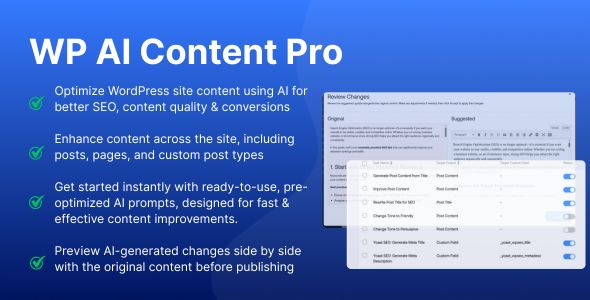
This is exactly where WP AI Content Pro changes the game.
Instead of editing posts one by one, you create a task once and run it wherever you want.
How WP AI Content Pro Solves This Problem
Step 1: Create an AI Task (Once)
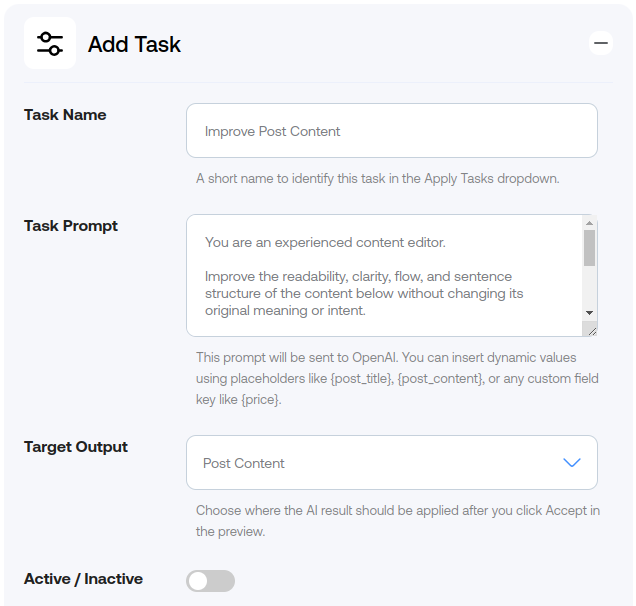
You define what you want to change, for example:
-
Improve post content
-
Rewrite titles
-
Update SEO descriptions
-
Modify a custom field
This is called a Task.
You don’t repeat instructions again and again—one task, reusable anytime.
Step 2: Select Where to Run the Task
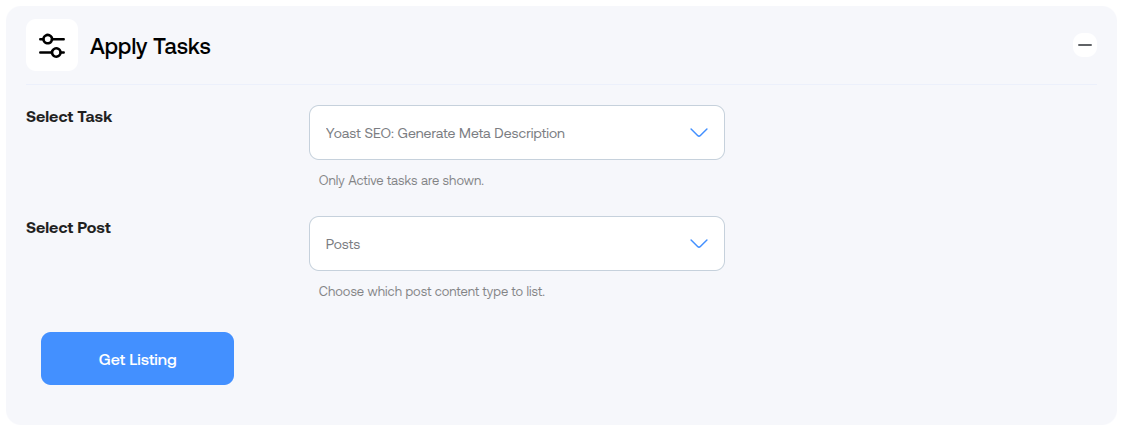
You can apply the task to:
-
Posts
-
Pages
-
Any custom post type
No manual opening. No tab switching.
Step 3: Run Tasks One by One (With Control)
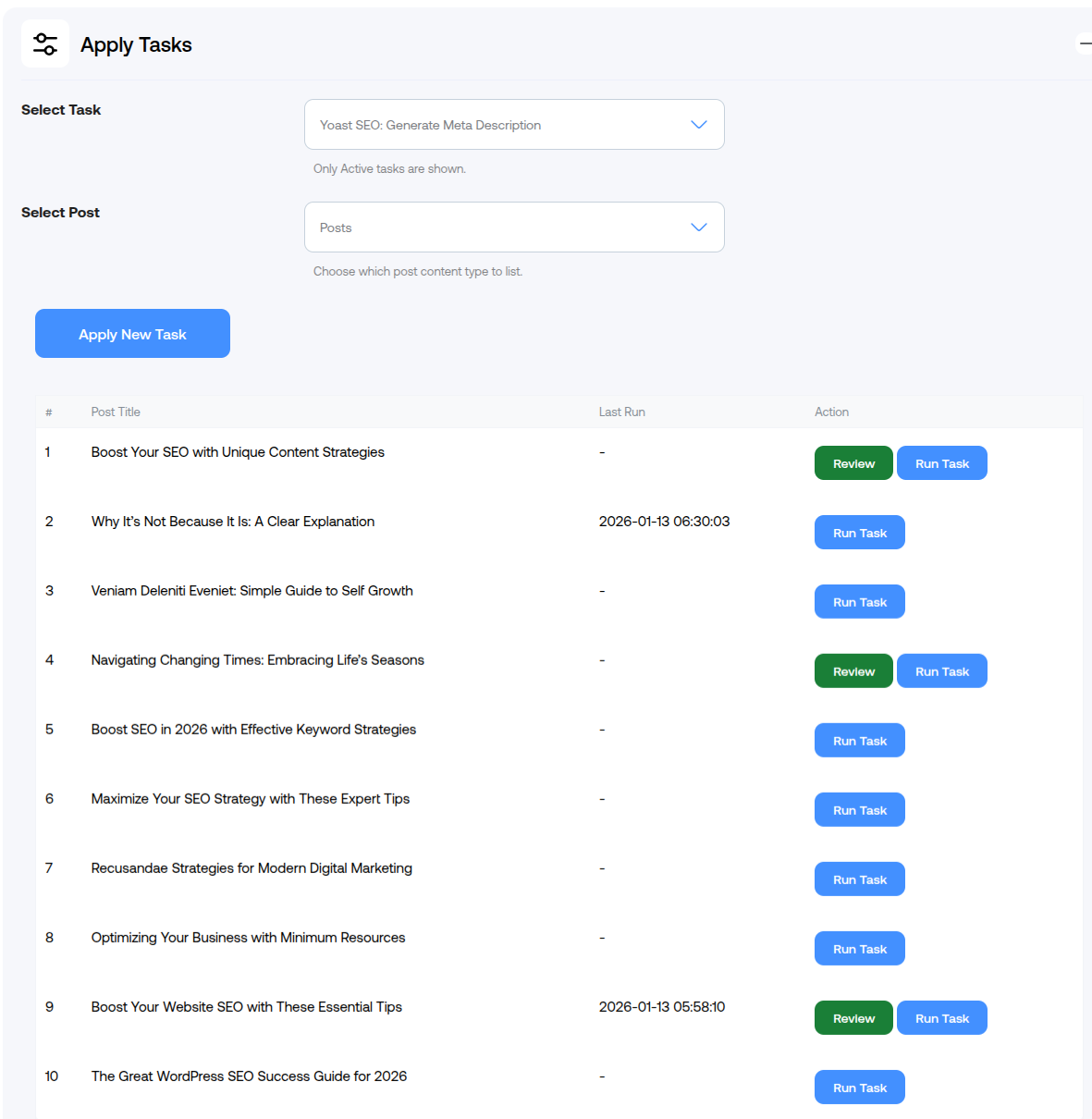
WP AI Content Pro lets you:
-
Execute tasks post by post
-
Review the AI-generated result
-
Accept or skip before applying
This keeps your content safe, accurate, and under your control.
Step 4: Save Hours Instantly

Instead of editing content manually:
What took hours now takes minutes.
Bulk updating WordPress content doesn’t have to be painful.
If you’re still opening posts one by one and switching between tools, you’re wasting valuable time. With WP AI Content Pro, you create a task once, execute it where needed, and move on.
Less effort. More results. Happy Editing.