


This website uses cookies so that we can provide you with the best user experience possible. Cookie information is stored in your browser and performs functions such as recognising you when you return to our website and helping our team to understand which sections of the website you find most interesting and useful.
Writing Effective Task Prompts

Sandeep Kumar Mishra
January 13, 2026
5 minutes read
The quality of AI-generated content depends heavily on how clearly your task prompt is written. This guide explains how to write effective prompts in WP AI Content Pro to get accurate, consistent, and useful results.
Why Prompt Quality Matters
A task prompt is the exact instruction sent to OpenAI. If the prompt is vague or unclear, the output may be inconsistent or unusable. A well-written prompt helps the AI understand:
- What content to work on
- What needs to be changed
- What should remain unchanged
- How the final output should look
Basic Prompt Structure
An effective prompt usually follows this structure:
- Context – What the content is about
- Instruction – What the AI should do
- Rules – Constraints or limits
- Output guidance – Formatting or style
Use Clear and Direct Instructions
Avoid vague language. Be explicit about the task.
❌ Weak prompt:
Improve this content.✅ Better prompt:
Improve the readability of {post_content} by simplifying sentences and fixing grammar errors. Keep the original meaning unchanged.Specify What Should Not Change
If certain parts of the content must remain untouched, mention it clearly.
Example:
Rewrite {post_content} to be more engaging. Do not change product names, prices, or links.Control Length and Tone
You can guide the AI by setting limits on length and tone.
Examples:
Rewrite {post_title} to be SEO-friendly and under 60 characters.Summarize {post_content} in a professional and neutral tone using short paragraphs.Guide the Output Format
WP AI Content Pro supports HTML, Gutenberg blocks, Markdown, and plain text. Tell the AI how to format the output.
Examples:
Rewrite {post_content} using clear headings and bullet points in HTML format.Convert {post_content} into a concise Markdown summary.Use Placeholders Correctly
Insert dynamic data into prompts using placeholders. These are replaced with real values when the task runs.
- {post_title} – Current post title
- {post_content} – Current post content
- {price} – Custom field or ACF field value
Example:
Using the price {price}, rewrite {post_content} to clearly highlight the product’s value.Avoid Overloading the Prompt
Do not combine multiple unrelated tasks into a single prompt.
❌ Avoid:
Rewrite the title, summarize the content, add SEO keywords, and update the price.✅ Recommended:
Create separate tasks for each objective.
Test Prompts on a Single Post First
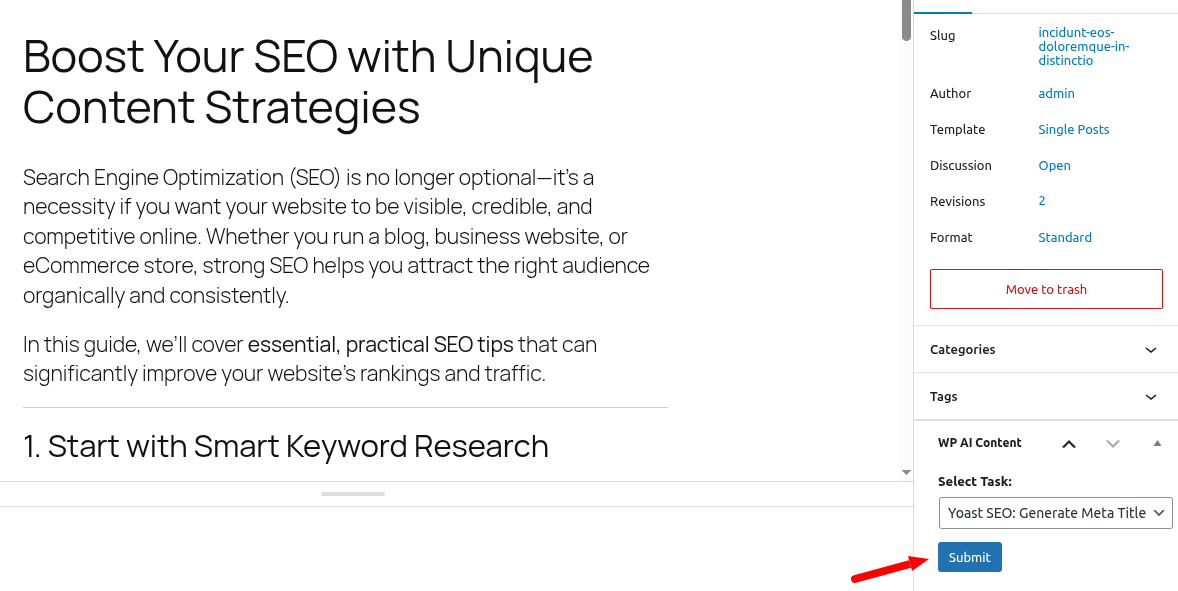
Always test a new task on one post before applying it to other content. Use the preview feature to review the output carefully.
Common Prompt Writing Mistakes
- Using unclear instructions
- Not specifying output format
- Forgetting to include placeholders
- Trying to update multiple fields in one task
Best Practices Summary
- Be specific and direct
- Define limits and rules clearly
- Use placeholders intentionally
- Create one task per output
- Review previews before accepting changes
Next Step
Now that you understand how to write effective prompts, the next step is learning how to insert dynamic data using placeholders and custom fields.
Continue to: Using Placeholders & Custom Fields
Explore the latest in WordPress
Trying to stay on top of it all? Get the best tools, resources and inspiration sent to your inbox every Wednesday.