


This website uses cookies so that we can provide you with the best user experience possible. Cookie information is stored in your browser and performs functions such as recognising you when you return to our website and helping our team to understand which sections of the website you find most interesting and useful.
How to apply snazzy map style to your store map?

Sandeep Kumar Mishra
November 16, 2016
5 minutes read
This allows you to display and manage your custom map and implement your own map skin.You can customize the style or theme of the Google maps.
-
Visit Snazzy MapsTo change the theme of the map, start by visiting snazzymaps.com.
-
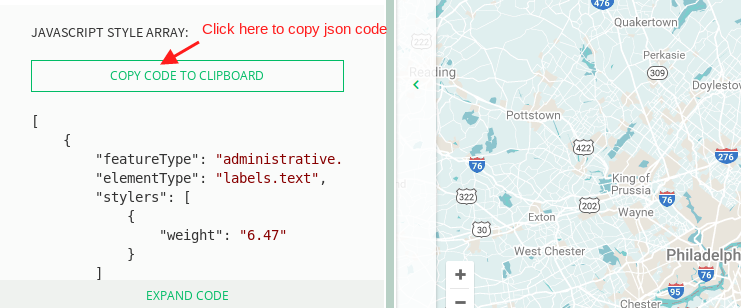
Find Your Map StyleOnce you have found your desired map style, copy all the JSON code from the left side.

-
Paste JSON CodeNow, go to WC Store Locator > Settings and paste the JSON code into the “Google Maps Style” field.

-
Save Settings and PreviewAfter pasting the code, click on Save Settings. Then, open the map in your browser to see the updated theme.
You’re done!

Explore the latest in WordPress
Trying to stay on top of it all? Get the best tools, resources and inspiration sent to your inbox every Wednesday.