

This website uses cookies so that we can provide you with the best user experience possible. Cookie information is stored in your browser and performs functions such as recognising you when you return to our website and helping our team to understand which sections of the website you find most interesting and useful.
How To Get Started After Buying WePlugins Yearly Subscription

Sandeep Kumar Mishra
in
Plugin Docs > General
November 9, 2023
5 minutes read
Once you’ve purchased any WePlugins subscription plan, please follow the steps below to download and use our plugins :
- Log in to your WePlugins account using your account credentials.
- The WePlugins Core Plugin is essential for downloading & installing any of our other plugins so first thing we need to do is to install the weplugins core plugin.
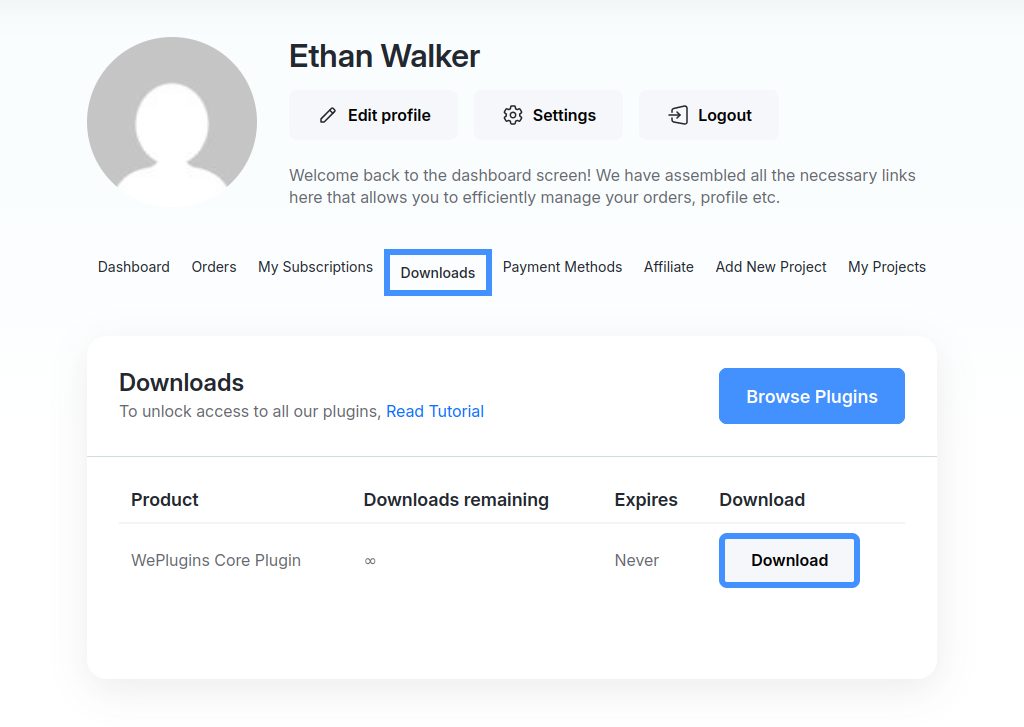
For that, navigate to the “Downloads” section, where you’ll find the WePlugins Core Plugin available for download.
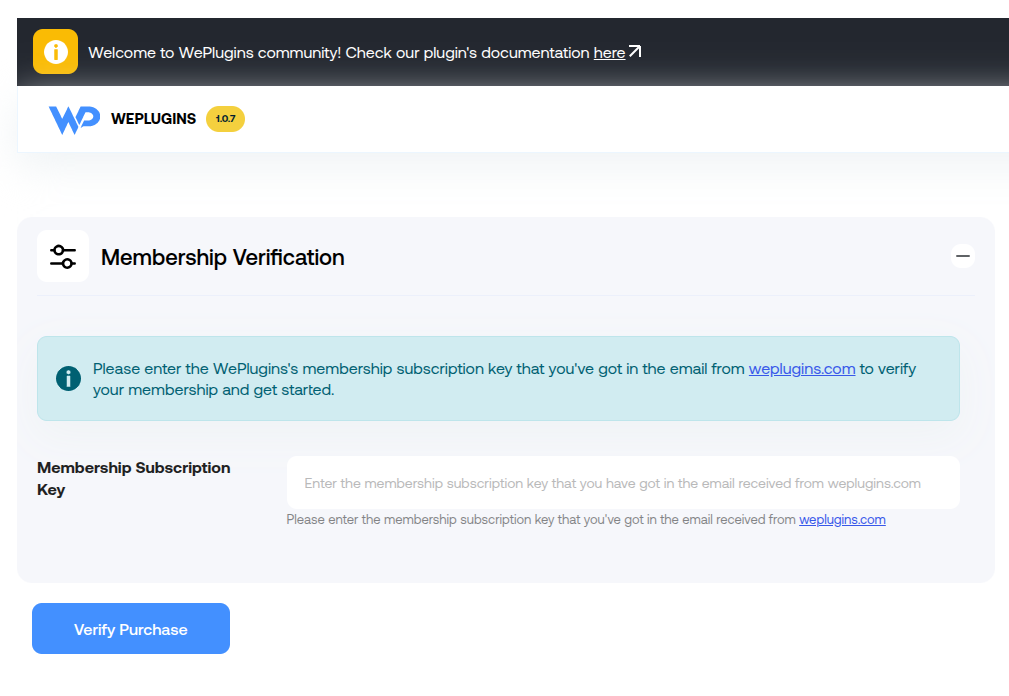
Please download it using the provided “Download” button, then proceed to install and activate this plugin on your website. Once activated, the plugin will prompt you for license verification to proceed further via a form.
New subscribers and existing subscribers can always download the most updated & latest weplugins core plugin from here.
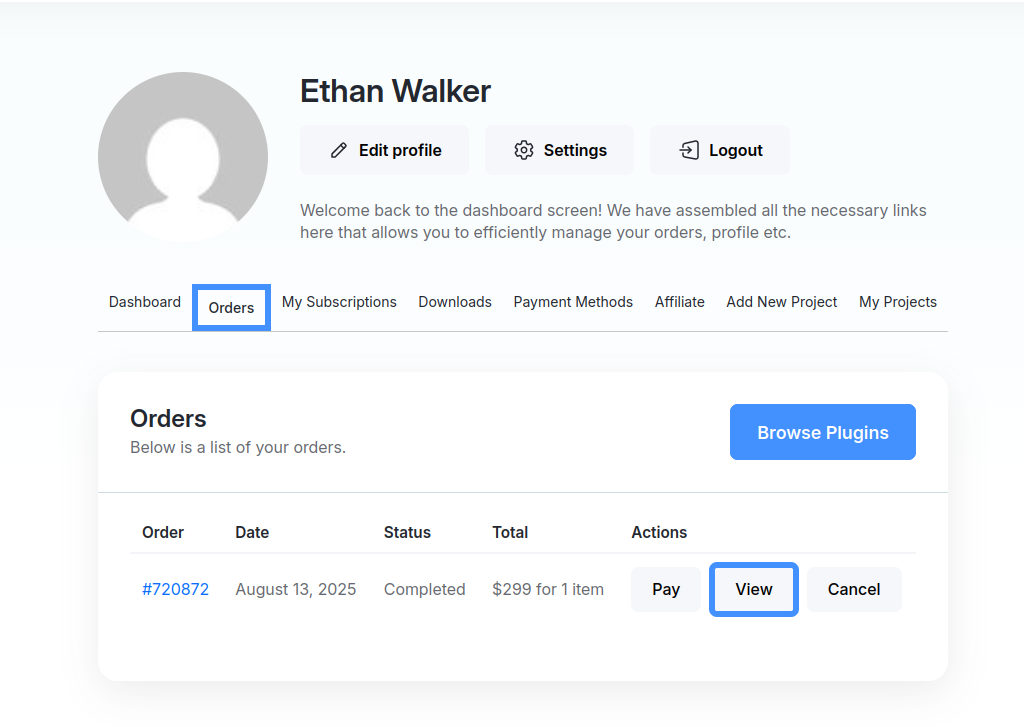
- For getting your licence key, navigate to the “Orders” section, you will see your placed order. Click on the view button to view order details.
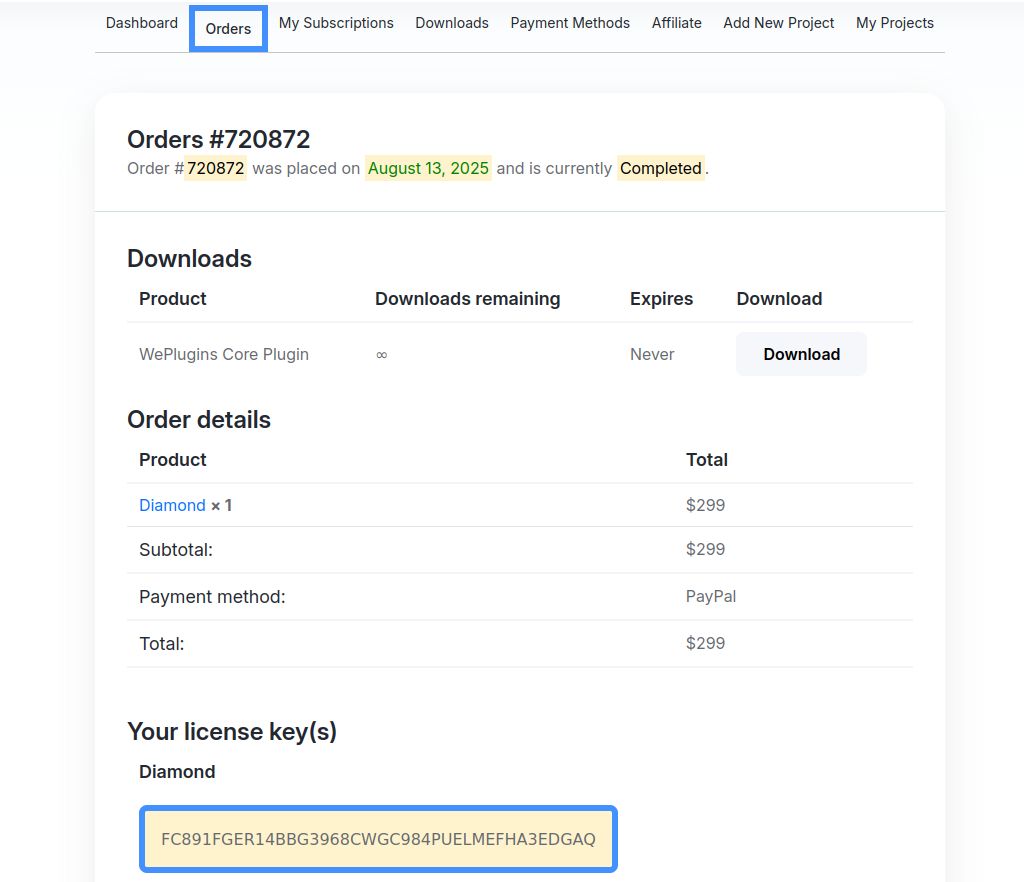
Scroll down a bit and you will find a section “Your license key(s)”. You will see your licence key there.

Copy that license key.
- Click on the WePlugins plugin menu in your website backend. Paste your licence key in the licence verification form provided and submit the form. Your membership will be verified using the provided license key.

If the verification is successful, you will see a new sub menus “Plugins List” in the WePlugins plugin back-end menu. In case of any authentication errors, you’ll be notified.
- Assuming you’ve entered the correct license key, completed the verification process and can see the “Plugins List” sub menu in the back-end, now click on the “Plugins List” sub-menu.
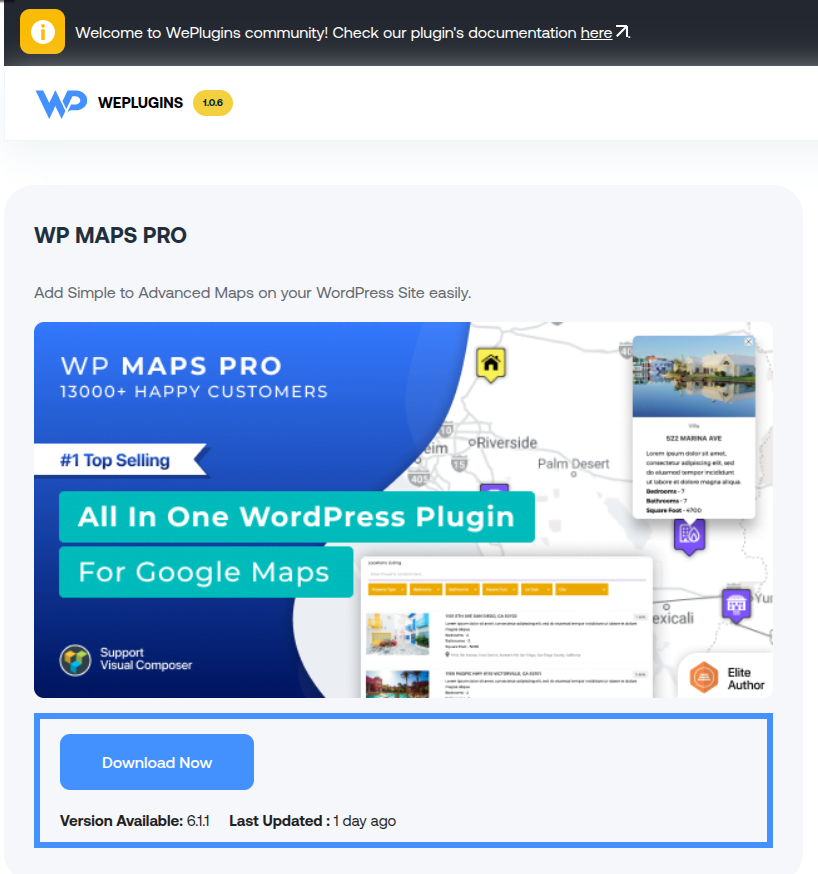
A new back-end page will be displayed, where you will find a list of all 35+ available plugins ready for download and to use on your website. You are free to install and use any of these plugins according to your website requirements. - Simply click the “Download Now” button provided inside the plugin block. That plugin will be downloaded automatically for you. Once the downloading of plugin has been completed you will be notified at by message.

After that you can activate that plugin and start using it. You will also see “Download Now” button inside the same plugin block whenever we will release a new version of any of our plugin.
Explore the latest in WordPress
Trying to stay on top of it all? Get the best tools, resources and inspiration sent to your inbox every Wednesday.