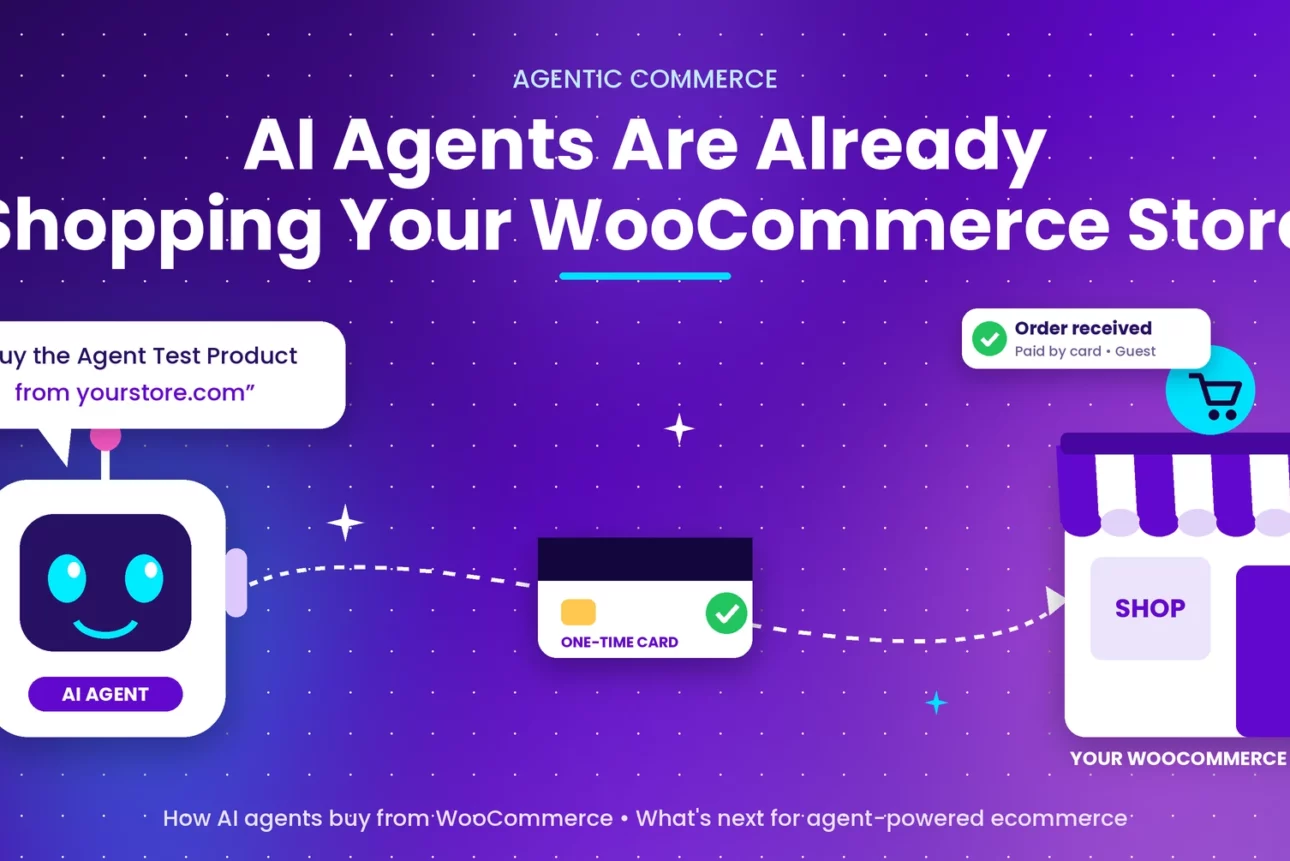
Agentic WooCommerce: Yes, you heard that right. AI agents can already buy from your WooCommerce store. If your store accepts card payments, an AI shopping agent can check out the same way a human customer does. No new extension and no new settings are required. This guide explains what AI agents are already doing, how an agent order works step by step, how to test it on your own store, and what the WooCommerce team is building next to make fully agent-driven ecommerce possible.
This article is based on the official WooCommerce post AI agents can already buy from your Woo store: here’s how it works by George Jeng, product lead for agentic commerce at WooCommerce, published November 19, 2026. We have reorganised it, added WordPress-specific context, and made it easier to act on.
Table of Contents: AI Agents in WooCommerce at a Glance
What Is Agentic Commerce and Why It Matters for WooCommerce Store Owners
Agentic commerce means shopping done by an AI agent on a person’s behalf. Instead of browsing and typing in card details, the customer tells an assistant, for example “buy this product from this store”, and the agent finds it, fills in checkout, and pays after the customer approves.
The shift is fast. According to McKinsey, the share of US AI users who completed a purchase with AI rose from 10% to 17% in a year. In just two months since September 2026:
- Stripe opened Link to personal agents.
- Meta’s Muse passed ten million accounts.
- Agents such as Muse, Grok Bot, Instinct and Claude Duet now pay for things on people’s behalf.
For WooCommerce owners the question is no longer “will this happen?” but “can my store sell to these agents?” The answer is yes.
What AI Agents Are Already Doing on WooCommerce Stores Today
Here is what AI shopping agents can do right now, with no special setup on your side:
- Open your store in their own browser and browse your products like a visitor.
- Add products to the cart and go through your normal guest checkout.
- Fill in the shipping address saved in the customer’s wallet (for example Link).
- Ask the customer for approval and show your store name, the total and the payment method before paying.
- Pay with a one-time card or payment token that works only for that single purchase.
- Complete the order so it arrives in WooCommerce like any other card order.
If your store takes card payments, an agent can already check out on it, and your store may well have received agent orders already.
The WooCommerce team also states that, as an open source platform, WooCommerce lets you own your store and decide who can buy from it. They are not deciding for merchants which agents reach customers or which wallet they use, and they do not add a fee on top of agent orders.
Two Ways AI Shopping Agents Buy: Your WooCommerce Checkout vs Commerce Protocols
Today there are two ways an AI agent can make an ecommerce purchase.
1. AI Agent Checkout Through Your WooCommerce Store (Works Today)
The agent opens your store in a browser, adds products to the cart and checks out like a customer, paying with a card credential from the customer’s agent wallet. This works on WooCommerce stores today.
2. Agentic Commerce Protocols: UCP and ACP for WooCommerce (Coming Soon)
With a protocol, the agent reads your catalog and places the order over a direct connection, without loading your storefront. Two protocols work this way:
- Google’s Universal Commerce Protocol (UCP): launched in January 2026. UCP checkout is available in the US to eligible merchants through Google Merchant Center and select commerce platforms, with expansion to other countries planned.
- The Agentic Commerce Protocol (ACP): from OpenAI and Stripe, published as an open standard in September 2025. Checkout through ACP is live with a limited number of merchants.
Neither protocol is available broadly to WooCommerce stores yet. WooCommerce is piloting UCP checkout with Google and a small group of Woo merchants, is working with Stripe on ACP support, and plans to enable UCP on all Woo stores by version 11.4.
| Method | How it works | Status on WooCommerce |
|---|
| Agent uses your checkout | Agent browses, adds to cart, pays like a customer | Works today |
| Google UCP | Direct connection to your catalog and checkout | Piloting; planned for all Woo stores by 11.4 |
| OpenAI + Stripe ACP | Direct connection via open standard | Working with Stripe on support |
Stripe Link Agent Wallet on WooCommerce Stores: How AI Agents Pay
Muse, Grok Bot, Instinct and Claude Duet all pay with Link, and Link has more than 300 million users. Agentic purchases with Link grew 38x in a month, so it is a well-tested agentic shopping flow. Link is Stripe’s wallet.
How an AI Agent Purchase Works on WooCommerce With Link, Step by Step
An agent checkout takes about two minutes. Before it starts, the customer saves a card at link.com and connects Link to their agent. Then:
- The customer asks their agent to buy a product from your store.
- The agent checks out as a guest. It opens your store in its own browser, adds the product to the cart and uses guest checkout with the address saved in Link.
- The customer approves the purchase in the agent. The agent shows your store, the total and the payment method, then waits.
- The customer approves a hold in Link. Link names your store and asks for approval of a hold, which can be more than the order total.
- Link gives the agent a one-time card number or payment token valid only for that purchase. The agent enters it at your checkout like any card, and you receive the order.
One-Time Card vs Payment Token: Which Credential Do AI Agents Use on WooCommerce?
- A one-time card works at any card checkout. The agent types it in like a customer would. This is what agents use on most Woo stores, and it works whether or not Link is turned on at your checkout.
- A payment token works at checkouts where Link is turned on. The agent pays without a card number being revealed. The token is valid for up to 30 minutes.
How AI Agent Orders Appear in WooCommerce Orders and Order Attribution
Right now, agent orders look like any other order. Nothing marks an order as placed by an agent yet (the WooCommerce team is actively working on changing this). Most are guest checkouts paid by card, and order attribution records them as direct visits, the same as a customer typing in your URL.
How Link Agent Orders Are Labelled With WooPayments and Stripe for WooCommerce
How the payment method is labelled depends on your payment setup:
| Your setup | Credential | Payment method on the order |
|---|
| WooPayments (Link on) | Link payment token | “Payment via Link” |
| WooPayments (WooPay on, Link off) | One-time Link card | “Visa credit card” (or other card brand) |
| Stripe for WooCommerce | One-time Link card | “Credit/Debit Card” |
What Your Customers May Notice When an AI Agent Buys From Your Store
- The hold can be larger than the order. Link may hold more on the customer’s card than the order total. In one test, Link held $6.00 for a $1.00 order. Your store only charges the order amount. The temporary hold matches the exact purchase total a shopper approves (or the custom spending budget they set).
- The statement says “LINK”. The charge shows as Link, not your store name. If a customer asks about a charge they do not recognise, this may be why. It is worth mentioning in your support FAQ.
- US and Canada only, for now. Link’s agent payments are open to customers in those two countries. Some agents are narrower: Muse with Link is US-only.
How to Test AI Agent Checkout on Your WooCommerce Store in 9 Steps
The best way to understand agentic commerce is to watch an agent check out on your own store. For the agent to pay on its own, it needs a usable card, such as one from a connected Link wallet. Without one, an agent like Muse opens your checkout page and asks the shopper to type in their card details. You need to be a Link customer in the US or Canada to run this test.
- Enable live card payments. Turn on WooPayments or the Stripe extension in live mode. Link gives the agent a real one-time card, and a store in test mode declines real cards.
- Create a test product. A low-priced virtual product works well, such as a $1 PDF download. It needs no shipping and is easy to refund. Publish it so it is visible on your storefront.
- Turn on guest checkout. Go to WooCommerce > Settings > Accounts & Privacy and check Enable guest checkout.
- Set up Link. Save a credit card at link.com.
- Connect Link to an agent. The WooCommerce team tested Muse and Instinct. Grok Bot and Claude Duet also support Link payments but have not been tested yet.
- Ask the agent to buy. Give it the product name and your store URL, for example: “Buy the ‘Agent test product’ from yourstore.com.”
- Approve twice. Approve the purchase in the agent, then approve the hold in Link. The hold may exceed the order total, but your store only sees the order amount.
- Check the order. Go to WooCommerce > Orders. The payment method shows as an ordinary card transaction, and order attribution reads “Direct”.
- Refund the test order from the order screen. This was a real charge. The refund should return through the one-time Link card to your card, but refunds have not been tested yet by the WooCommerce team. Your payment processor usually keeps its fee even on a refund, so use a small amount.
Next level: repeat the test with a physical product, shipping, and your normal fraud and bot settings. If the agent cannot finish, note where it stops. That is the part of your checkout an agent cannot get through.
What Can Block an AI Agent From Completing a WooCommerce Checkout
Agents transact the way a person does, so anything that stops a person can stop an agent:
- CAPTCHAs and bot protection may reject the agent.
- Required account login: if you require accounts, allowing guest checkout gives agents the best chance of completing an order.
- Some fraud rules may flag agent checkouts as suspicious.
- Unpredictable tax, shipping or fees: the agent gets approval for a set amount before checkout. If the total changes late, the agent must go back to the customer and the order may stall.
What the WooCommerce Team Is Building Next: Making Agentic Commerce Work Fully on WooCommerce
Agents already handle browsing, cart, checkout and payment. The remaining work is about visibility, reliability and reach. This is the WooCommerce team’s current roadmap:
Agent Order Attribution: Tagging WooCommerce Orders Placed by AI Agents
WooCommerce will tag agent-placed orders in order attribution so you can see and count them. This needs a reliable signal that an agent paid, from Stripe and the card networks or from the agent itself. An update will be shared when agent orders show up in order attribution.
WooCommerce Fraud Rules for AI Agents: Letting Legitimate Orders Through
The team is testing how transaction fraud rules treat agent checkouts, so legitimate agent orders are more likely to complete while real attacks are still stopped.
More AI Agent Payment Methods on WooCommerce
The team is looking at how Woo stores can support future payment methods alongside the options you already offer.
UCP and ACP Protocol-Based Checkout for WooCommerce
Support for UCP is planned so agents can buy from your catalog over a direct connection, with UCP planned for all Woo stores by version 11.4. The team is also continuing to explore ACP and will evaluate new protocols as they launch, as part of its commitment to keep agentic commerce open.
| Already happening | In the works |
|---|
| Agents check out through your normal card checkout | Tagging agent orders in order attribution |
| Pay with one-time Link cards or payment tokens | Fraud rules that allow agents but still stop attacks |
| Orders arrive like any card order, with standard refunds and disputes | Support for more agent payment methods |
| UCP and ACP piloting or in discussion | Broad UCP rollout (planned by 11.4) and ACP support |
WooCommerce AI Agent Readiness Checklist: Prepare Your Store for Agentic Commerce
- Use a payment gateway that accepts cards, such as WooPayments or Stripe for WooCommerce.
- Enable guest checkout in WooCommerce > Settings > Accounts & Privacy.
- Review CAPTCHA and bot protection on checkout.
- Keep tax and shipping calculations predictable and shown early.
- Run a $1 test purchase with an agent and note where it stops.
- Prepare support replies for the “LINK” statement descriptor and for larger temporary holds.
- Keep WooCommerce and your payment plugins updated so you receive protocol support as it ships.
For setup details, holds, card statements and what can block an agent, read the official guide: Accepting orders from AI shopping agents.
Have you tried an AI agent checkout on your store? Tell us in the comments where the agent got stuck. It helps other WordPress store owners, and the WooCommerce team is also collecting feedback on the original post.
Source: George Jeng, WooCommerce Blog. Related: WooPayments | Stripe for WooCommerce.