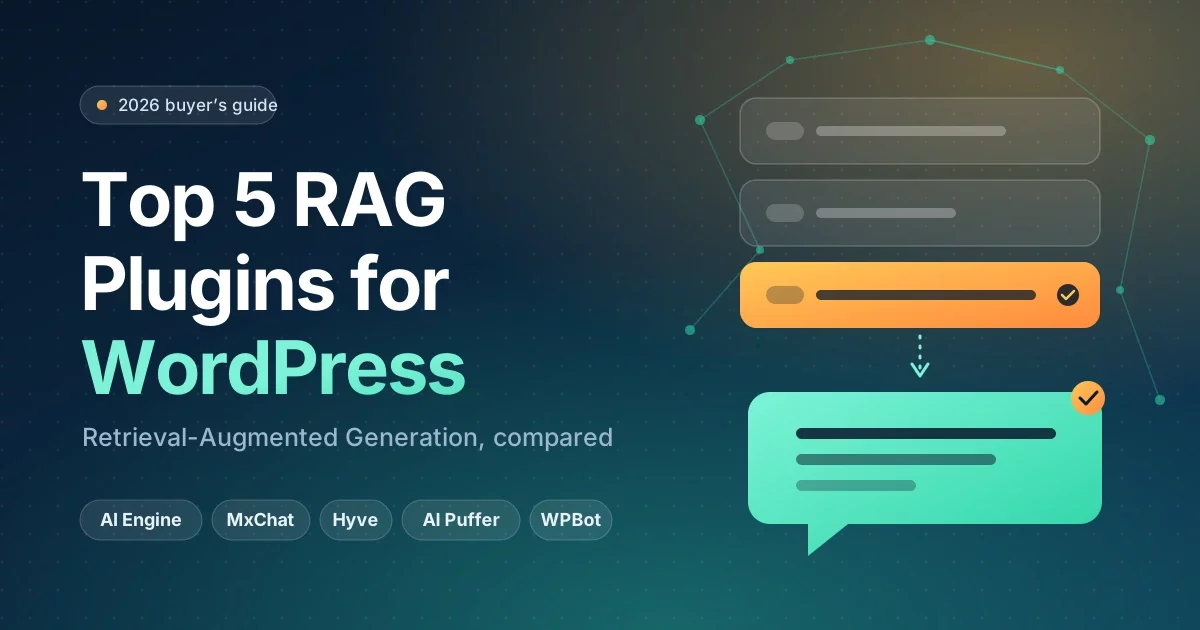
Short answer: RAG plugins for WordPress let an AI chatbot answer visitor questions using your own posts, pages, PDFs and products instead of guessing. The top 5 in 2026 are AI Engine, MxChat, Hyve, AI Puffer and WPBot. Beginners who want the easiest start should try Hyve or MxChat. Power users who want maximum flexibility should look at AI Engine.
If you have ever wished a chatbot could answer customer questions using your website’s content, this guide is for you. Below we explain RAG in plain English, show what it can do for a WordPress site, and compare the five best plugins side by side on features, tiers and pricing.
In This Guide
Quick Answer: Best RAG Plugins for WordPress in 2026
Here are the best RAG plugins for WordPress, each with its main strength:
- AI Engine: most popular and flexible all-in-one AI toolkit.
- MxChat: widest training sources and a one-time lifetime price.
- Hyve: quickest setup, with no API key needed to start.
- AI Puffer (formerly AI Power): strong training on PDFs and files, plus automations.
- WPBot: chat on WhatsApp, Messenger, Telegram and Instagram, with or without AI.
What Is Retrieval-Augmented Generation in WordPress? (RAG Explained Simply)
Retrieval-Augmented Generation (RAG) is a technique that lets an AI model look up information from a trusted source before it answers. Instead of relying only on what it learned during training, the AI first retrieves the most relevant pieces of your content and then writes an answer based on them.
Think of it as an open-book exam. A normal chatbot answers from memory and may guess. A RAG chatbot opens your “book” (your website, documents and product data), finds the right page, and then answers.
How RAG Builds a WordPress AI Knowledge Base From Your Content (4 Steps)
- Collect: the plugin reads your posts, pages, products, PDFs or sitemap.
- Index: your content is split into small chunks and converted into “embeddings”, numerical fingerprints of meaning, then stored in a vector database.
- Retrieve: when a visitor asks a question, the plugin finds the chunks closest in meaning to that question.
- Generate: those chunks are passed to an AI model (such as GPT, Claude or Gemini), which writes a clear answer grounded in your content.
Many plugins say they “train” the chatbot on your site. In practice this almost always means RAG, not fine-tuning. Your content is fed to the model as context for each answer, so the bot stays up to date when you edit or publish pages.
What RAG Can Do: Real Examples of a WordPress RAG Chatbot
- Answer “What is your refund policy?” using the exact wording from your policy page.
- Recommend the right blog post, course or product for a visitor’s problem.
- Summarise long documentation or PDF manuals in a few sentences.
- Reduce made-up answers (“hallucinations”) because the AI is anchored to your content.
- Provide smarter on-site search that understands meaning, not just keywords.
What Can RAG Plugins for WordPress Do for Your Website?
A RAG plugin connects your WordPress content to an AI model and puts a chat or search interface on your site. You get an assistant that knows your business and works 24/7, without writing code.
Key Benefits of a WordPress RAG Chatbot
- Instant 24/7 support: visitors get answers at any hour, which cuts repetitive emails and tickets.
- More accurate answers: replies are based on your real content, not generic internet knowledge.
- Higher engagement: visitors find relevant pages faster and stay longer.
- Lead capture: several plugins collect emails and questions inside the chat.
- Always current: edit a page and the chatbot can use the new version after re-indexing.
- Insight into visitor needs: chat logs show what people actually ask, which gives you content ideas.
RAG Chatbot Plugin vs. Regular WordPress AI Chatbot Plugin
A regular chatbot plugin follows scripted buttons or answers from the AI’s general knowledge. A RAG chatbot plugin searches your content first. The difference is accuracy: a scripted bot can’t answer questions you didn’t pre-program, and a general AI bot may invent details about your business. A RAG bot answers from your own pages.
Who Needs a WooCommerce RAG Chatbot?
Online stores benefit a lot. A WooCommerce RAG chatbot can answer questions about product details, shipping and returns from your own product data. Some plugins in this list also offer WooCommerce features such as product cards, stock or order lookups in their paid tiers.
How We Picked the Best RAG Plugins for WordPress
We compared plugins on the points that matter most to site owners:
- RAG capability: can it index your WordPress content and answer from it?
- Training sources: posts, pages, products, PDFs, URLs, sitemaps.
- AI model choice: OpenAI, Claude, Gemini and others.
- Ease of setup for beginners.
- Pricing and tiers: free version, paid plan, subscription or lifetime.
- Active development and community.
Pricing note: prices below were checked in November 2026 from vendor pages and recent reviews. Plans change often, so confirm on each vendor’s site before buying. Most plugins also require you to pay your AI provider (for example OpenAI) separately for usage.
Quick Comparison: Best RAG Plugins for WordPress (2026)
| Plugin | Free Version | Paid Tier / Price (approx.) | RAG Training Sources | AI Models | Standout Feature | Best For |
|---|
| AI Engine | Yes | Pro from about $69–$79/year (1 site); lifetime from about $499 (5 sites) | Posts, content, PDFs (embeddings; vector database such as Pinecone or Qdrant) | OpenAI, Claude, Gemini, Mistral, more (own API key) | Full AI toolkit: forms, function calling, MCP | Power users and developers |
| MxChat | Yes | Pro $69.97 one-time (1 site); agency bundles for 5 or 10 sites | Sitemap, PDFs, URLs, YouTube, WooCommerce products, manual Q&A | OpenAI, Claude, Gemini, Grok, DeepSeek, 100+ via OpenRouter | Lifetime pricing; Slack live-agent handoff (Pro) | Best value and wide training options |
| Hyve | Yes (about 1,000 chunks, roughly 300 posts) | Pro $99 one-time (1 site); $279 for up to 50 sites | Posts, pages, products, custom post types; Pro adds PDF, Word, Markdown, CSV, URLs, sitemaps | Hosted AI (Hyve Connect) or your own OpenAI key | No API key needed to start; auto re-indexing | Beginners who want the fastest setup |
| AI Puffer (formerly AI Power) | Yes | Pro $9.99/month (1 site) | Posts, pages, products; PDFs and files in Pro | OpenAI, Gemini, Azure, OpenRouter, DeepSeek, xAI, local Ollama | File-based training; Zapier, Make, n8n, Slack integrations | Docs stored in PDFs and files |
| WPBot | Yes | Starter $39/yr, Professional $99/yr, Master $189/yr; lifetime $149 / $279 / $369 | Website data via OpenAI integration | OpenAI, Gemini, OpenRouter, DialogFlow, or no-AI mode | WhatsApp, Messenger, Telegram, Instagram channels (Pro) | Multi-channel support and agencies |
Top 5 RAG Plugins for WordPress Reviewed
1. AI Engine: Best RAG Plugin for WordPress Power Users
AI Engine by Meow Apps is the most popular AI plugin of its kind in the WordPress directory, with well over 90,000 active installs. It is a full AI framework: chatbots, content generation, AI forms, and an MCP server in one plugin. For RAG, it can build a knowledge base from your content using embeddings stored in a vector database.
- Tier: free plugin plus Pro. Embeddings and knowledge features are primarily Pro features.
- Pricing: Pro starts at roughly $69–$79 per year for one site. Lifetime licenses are available. You also pay your AI provider for usage.
- Pros: multi-provider support, excellent documentation, huge community, function calling for WordPress and WooCommerce actions.
- Cons: large feature set means a learning curve, and RAG typically needs a vector database such as Pinecone or Qdrant.
2. MxChat: Best Free RAG Plugin for WordPress With Lifetime Pricing
MxChat is a focused chatbot plugin with some of the widest training options available. Point it at your sitemap to ingest the whole site, or add PDFs, URLs, YouTube videos, WooCommerce products or manual question-and-answer pairs. It works with OpenAI, Claude, Gemini, Grok and DeepSeek directly, and with 100+ models through OpenRouter.
- Tier: free version with core RAG features; Pro adds the full add-on ecosystem and extras such as Slack live-agent handoff.
- Pricing: Pro is a one-time $69.97 for one site, with lifetime updates.
- Pros: no subscription, broad training sources, strong model choice.
- Cons: smaller install base than AI Engine; it also includes extras such as a content generator that you may not need.
3. Hyve: Best WordPress AI Chatbot Plugin Trained on Your Own Content
Hyve is built around one idea: a chatbot trained on your WordPress content. Setup takes three steps: choose the posts, pages and products to learn from, choose how the AI runs, and publish the widget. When you edit a page, Hyve re-indexes it automatically. Answers can link back to the source page so visitors can verify them.
- Tier: free Hyve Lite (about 1,000 chunks, roughly 300 posts, and 500 hosted chat messages per month); Pro raises limits to about 10,000 chunks and 10,000 hosted messages per month.
- Pricing: Pro is a lifetime license at $99 for one site or $279 for up to 50 sites. You can also use your own OpenAI key for unlimited messages.
- Pros: no API key needed to begin, very beginner friendly, proactive chat and lead capture in Pro.
- Cons: the free hosted message cap is small for busy sites, and it is a newer plugin. Hyve is made by ThemeIsle.
4. AI Puffer: Best RAG Chatbot Plugin for PDFs and Files
AI Puffer, previously called AI Power, is an all-purpose AI toolkit with a chatbot, content writer, AI forms and image generator. It is a strong choice if your documentation lives outside WordPress, because Pro lets you add PDFs and uploaded files to the chatbot’s knowledge base. It uses a bring-your-own-key model, so you pay your AI provider directly.
- Tier: free version covers posts, pages and products; file training and advanced integrations are Pro.
- Pricing: Pro is $9.99 per month for a single site.
- Pros: many providers including local Ollama, optional web search for live answers, automation integrations.
- Cons: subscription only (older yearly and lifetime plans were retired), and the plugin does many things beyond RAG.
5. WPBot: Best WordPress RAG Chatbot for WhatsApp and Messenger
WPBot is a long-running chatbot plugin that works with or without AI. It ships with a button-based bot, and you can connect OpenAI, Gemini or OpenRouter and train the bot on your website data. Its biggest strength is channels: Pro extends the same bot to Facebook Messenger, Instagram, Telegram and WhatsApp, plus CRM integrations.
- Tier: free version, then Starter, Professional and Master plans.
- Pricing: $39, $99 and $189 per year, or lifetime at $149, $279 and $369. Some add-ons cost extra.
- Pros: works without AI, omnichannel, WooCommerce support, white-label options for agencies.
- Cons: RAG training depends on the OpenAI connection and is less of a focus than in Hyve or MxChat.
Hosted Alternative to RAG Plugins for WordPress: Chatbase
If you prefer a hosted service instead of a native plugin, Chatbase offers a RAG-style chatbot with a WordPress integration. Paid plans have been reported from about $40 per month (about $32 on annual billing) and are based on message credits. Free-plan and trial availability has changed over time, so check its pricing page. Native plugins are usually cheaper for small sites, while hosted tools can be simpler to run.
How to Choose the Best RAG Plugin for WordPress
Quick Decision Guide: Which WordPress RAG Chatbot Fits You?
- Total beginner, want to start today: Hyve.
- Want a one-time payment and many training sources: MxChat.
- Want a full AI toolkit and strong documentation: AI Engine.
- Knowledge lives in PDFs and files: AI Puffer (or Hyve Pro / MxChat).
- Customers use WhatsApp, Messenger or Telegram: WPBot.
- Run a store: check WooCommerce support in MxChat, Hyve Pro, AI Engine and WPBot.
What a RAG Chatbot Plugin Really Costs (API Fees Explained)
Plugin price is only part of the bill. Most plugins use your own AI provider key, so you also pay per usage (tokens). Smaller, cheaper models handle most FAQ-style questions well, which keeps costs low for typical small sites. Larger models cost more per answer. Set a budget limit in your AI provider account and start with a small model.
How to Set Up a RAG Chatbot Plugin on WordPress in 6 Steps
- Install the free version of your chosen plugin from Plugins > Add New.
- Connect an AI provider (or use the plugin’s hosted option, if available).
- Select the content to index: start with FAQs, policies and your best pages.
- Write a clear system prompt, for example “Answer only from the provided content. If unsure, say so and suggest contacting us.”
- Test with 20 real customer questions and fix gaps in your content.
- Place the chat widget sitewide or on key pages, then review chat logs weekly.
Limitations of RAG Plugins for WordPress (and How to Avoid Them)
- Answers are only as good as your content. Outdated or thin pages lead to weak answers, so keep key pages current.
- Hallucinations are reduced, not eliminated. Use a strict prompt and show source links where the plugin supports it.
- Privacy matters. Content and visitor questions are sent to your AI provider. Do not index private data, and update your privacy policy.
- Usage costs can grow with traffic. Set spending limits and rate limits.
- Search quality depends on indexing. Re-index after big content changes.
Conclusion: Which RAG Plugin for WordPress Should You Pick?
RAG plugins for WordPress turn your existing content into an always-on assistant that answers from facts, not guesses. Start with a free version, index a small set of important pages, and watch the questions visitors actually ask. If you want simplicity, try Hyve. For value and flexibility, try MxChat. For a full AI toolkit, choose AI Engine. Pick AI Puffer for file-heavy knowledge bases and WPBot for multi-channel chat. Upgrade only once you see real usage.
Disclaimer: Features and prices change frequently. Verify current details on each vendor’s website before purchasing.