Which is the best free WordPress MCP server plugin in 2026? There is no single best option for every website. WPVibe is a strong choice for general AI powered WordPress management, while miniOrange Secure MCP Server is better suited to businesses that need detailed access controls. Agent Abilities for MCP focuses on the WordPress Abilities API and least privilege access, AI Agent Hub focuses on automation and debugging, and SiteSkite combines MCP with broader website management features.
In this guide, we compare five free WordPress MCP server plugins available on WordPress.org and explain their strengths, limitations and ideal use cases. The goal is simple: help you choose the right MCP server for your WordPress website instead of choosing one based only on its feature count.
What Is a WordPress MCP Server?
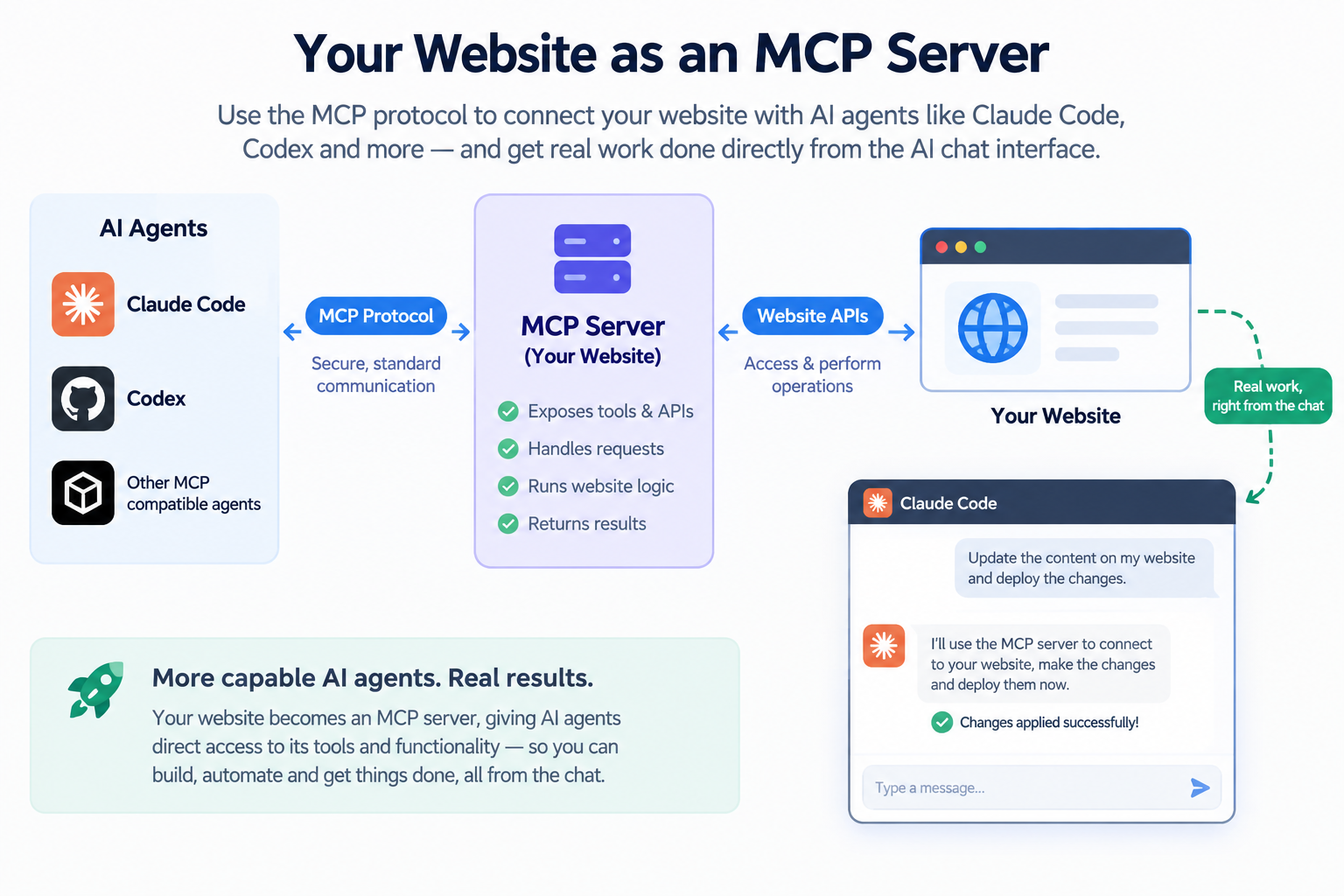
MCP stands for Model Context Protocol. It is an open standard that allows AI applications to communicate with external tools and services.
A WordPress MCP server acts as a bridge between your WordPress website and compatible AI assistants such as Claude, ChatGPT, Cursor and other AI tools.
For example, instead of manually opening WordPress and navigating through different screens, you could ask an AI assistant to:
- Create or update a WordPress post.
- Find pages containing outdated information.
- Review website content.
- Manage supported WooCommerce products.
- Perform other WordPress operations exposed by the MCP server.
The exact capabilities depend on the MCP plugin, the AI client, your WordPress permissions and the abilities or tools that you enable.
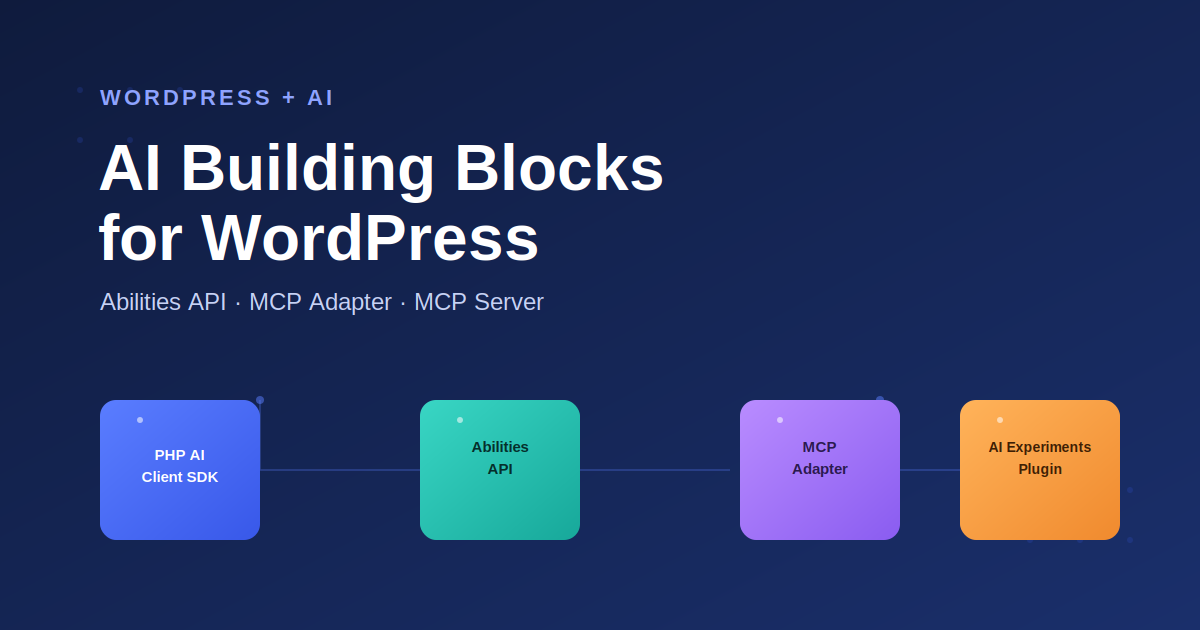
For a deeper explanation, read our guide on WordPress AI Building Blocks: Abilities API, MCP Adapter and MCP Server Explained.
You can also read how to manage a WordPress website with Claude Code and Codex to understand how AI coding agents can interact with WordPress.
Quick Comparison of WordPress MCP Server Plugins
These five plugins take different approaches to connecting AI assistants with WordPress. Some focus on simple AI assisted website management, while others put more emphasis on security, automation or multi site management.
| Plugin | Best For | Main Strength | Main Consideration |
|---|
| WPVibe | General WordPress management | Easy AI connection and broad functionality | Uses an external service for MCP requests |
| miniOrange Secure MCP Server | Businesses and security focused websites | Permissions, authentication and extensive tools | Advanced setup can require more configuration |
| Agent Abilities for MCP | Developers and technical administrators | Abilities API and granular permissions | Requires WordPress 6.9 or later |
| AI Agent Hub | Automation and debugging | AI workflows and website troubleshooting | More specialized than a general MCP connector |
| SiteSkite | Agencies and multiple websites | AI management plus broader website tools | Some wider platform features require an account |
1. WPVibe
Best for: Website owners who want a relatively simple way to connect AI assistants with WordPress.
WPVibe provides an MCP connection between WordPress and AI clients including Claude, ChatGPT, Cursor, Windsurf and OpenCode.
It supports a broad range of WordPress management tasks, including posts, pages, media and supported WooCommerce operations. It also supports selected page builders and WordPress abilities.
Pros
- Designed for relatively straightforward AI integration.
- Supports several popular AI clients.
- Provides broad WordPress content management capabilities.
- Supports supported WordPress abilities and integrations.
- Provides safeguards for certain potentially destructive operations.
Cons
- Its architecture uses an external service to relay MCP requests.
- Free usage has limitations.
- Website owners should understand which AI operations can affect live content.
Best choice if: You want to get started with AI assisted WordPress management without building your own MCP integration.
2. miniOrange Secure MCP Server
Best for: Businesses that need stronger control over AI permissions and website operations.
miniOrange Secure MCP Server focuses heavily on authentication, permissions and controlled access to WordPress functionality.
Its published feature set includes a large collection of MCP tools covering WordPress content, custom post types, WooCommerce, SEO and other supported functionality.
Pros
- Detailed role based access controls.
- Individual tool permissions.
- OAuth based authentication options.
- Activity logging for AI operations.
- Broad WordPress and WooCommerce functionality.
Cons
- More configuration than a basic AI connector.
- A large toolset requires careful permission management.
- May provide more functionality than a simple blog or brochure website needs.
Best choice if: Security, permissions and visibility into AI operations are important to your business.
3. Agent Abilities for MCP
Best for: Developers and technical WordPress administrators who want granular control over AI capabilities.
Agent Abilities for MCP is built around the WordPress Abilities API and MCP Adapter. Its approach is particularly interesting for developers who want AI agents to access specific WordPress capabilities instead of giving them broad access to the website.
The plugin allows administrators to control which abilities are exposed and supports permission checks and auditing.
Pros
- Built around the WordPress Abilities API.
- Supports a least privilege approach.
- Abilities can be enabled selectively.
- Provides audit logging.
- Supports compatible plugin abilities.
Cons
- Requires WordPress 6.9 or later.
- Requires more understanding of permissions and abilities.
- Better suited to technical users than people looking for a simple AI editor.
Best choice if: You want to understand and control exactly what your AI agent can do inside WordPress.
4. AI Agent Hub
Best for: Developers and website administrators who want AI workflows and debugging alongside MCP.
AI Agent Hub combines MCP connectivity with workflow automation, content analysis and website troubleshooting features.
Its focus is somewhat different from a general purpose MCP connector. It is particularly useful when you want AI to help with repeatable workflows or investigate website errors.
Pros
- Built in MCP server.
- AI assisted workflows.
- Content analysis capabilities.
- Error monitoring and debugging features.
- Useful for developers and technical administrators.
Cons
- More specialized than a general WordPress AI connector.
- Some advanced functionality may be part of paid offerings.
- Users need to configure workflows to get the most value from the plugin.
Best choice if: Your goal is not only to connect AI to WordPress but also to automate recurring tasks and investigate website problems.
5. SiteSkite
Best for: Agencies, freelancers and users managing multiple WordPress websites.
SiteSkite combines MCP based AI functionality with broader WordPress management features.
It supports AI assisted website editing and allows administrators to control which abilities are available to the AI. Its wider platform also includes website management features such as backups, monitoring and multi site management.
Pros
- Direct MCP connection for compatible AI clients.
- Supports AI assisted WordPress editing.
- Provides controls for individual AI abilities.
- Useful wider management features for agencies.
- Suitable for multi site workflows.
Cons
- The broader platform may be unnecessary for a single website.
- Some management features require an account.
- Advanced server side capabilities should be enabled carefully.
Best choice if: You manage multiple WordPress websites and want AI integration alongside backups, monitoring and website management.
Which WordPress MCP Server Plugin Is Best?
The best WordPress MCP server depends on your use case. Instead of asking which plugin has the most features, consider what you actually want your AI assistant to do.
- Choose WPVibe if you want a general purpose AI connection with broad WordPress management capabilities.
- Choose miniOrange Secure MCP Server if your priority is detailed permissions, authentication and activity monitoring.
- Choose Agent Abilities for MCP if you are a developer who wants granular control through the WordPress Abilities API.
- Choose AI Agent Hub if AI workflows, automation and website debugging are important to you.
- Choose SiteSkite if you manage multiple websites and want MCP alongside broader website management features.
What to Check Before Installing an MCP Server
Security and permissions
An MCP server can give an AI agent the ability to perform actions on your website. Check whether you can control individual tools, restrict permissions and use read only access where appropriate.
Authentication
Understand how the plugin authenticates AI clients and whether requests are handled directly by your WordPress website or through an external service.
AI client compatibility
Check that the plugin works with the AI tool you actually use. Support for Claude, ChatGPT, Cursor, Gemini and other clients can vary.
Free plan limitations
Do not assume that every feature advertised by a plugin is unlimited or included in its free offering. Check current usage limits, premium features and any associated services before building an important workflow.
Test on staging first
Start with read only operations and test write operations on a staging website. This is especially important before allowing an AI agent to publish content, delete data, modify files or change website settings.
Important: An MCP server should be treated as another way of accessing your WordPress website. Give an AI agent only the permissions it needs and test important operations before using them on a production website.
Final Verdict
The five free WordPress MCP server plugins covered here are not identical. They are designed around different priorities.
WPVibe is a strong general purpose option for AI assisted WordPress management. miniOrange Secure MCP Server stands out for businesses that need detailed access controls. Agent Abilities for MCP is particularly interesting for developers working with the WordPress Abilities API. AI Agent Hub is better suited to automation and debugging, while SiteSkite makes more sense when AI is part of a broader website management workflow.
The right choice is therefore not necessarily the plugin with the largest number of tools. Choose the MCP server that supports the AI client you use, exposes the WordPress capabilities you need and gives you an appropriate level of security and control.
If you are new to WordPress MCP, start with a staging website, enable only the capabilities you need and gradually expand the AI agent’s access as you become comfortable with the workflow.
Plugins Sources