Did you know you can easily add-on Google Maps to your WordPress site using WP Maps Pro? No coding required!
It’s a fantastic way to showcase locations and routes or add custom content to your maps.
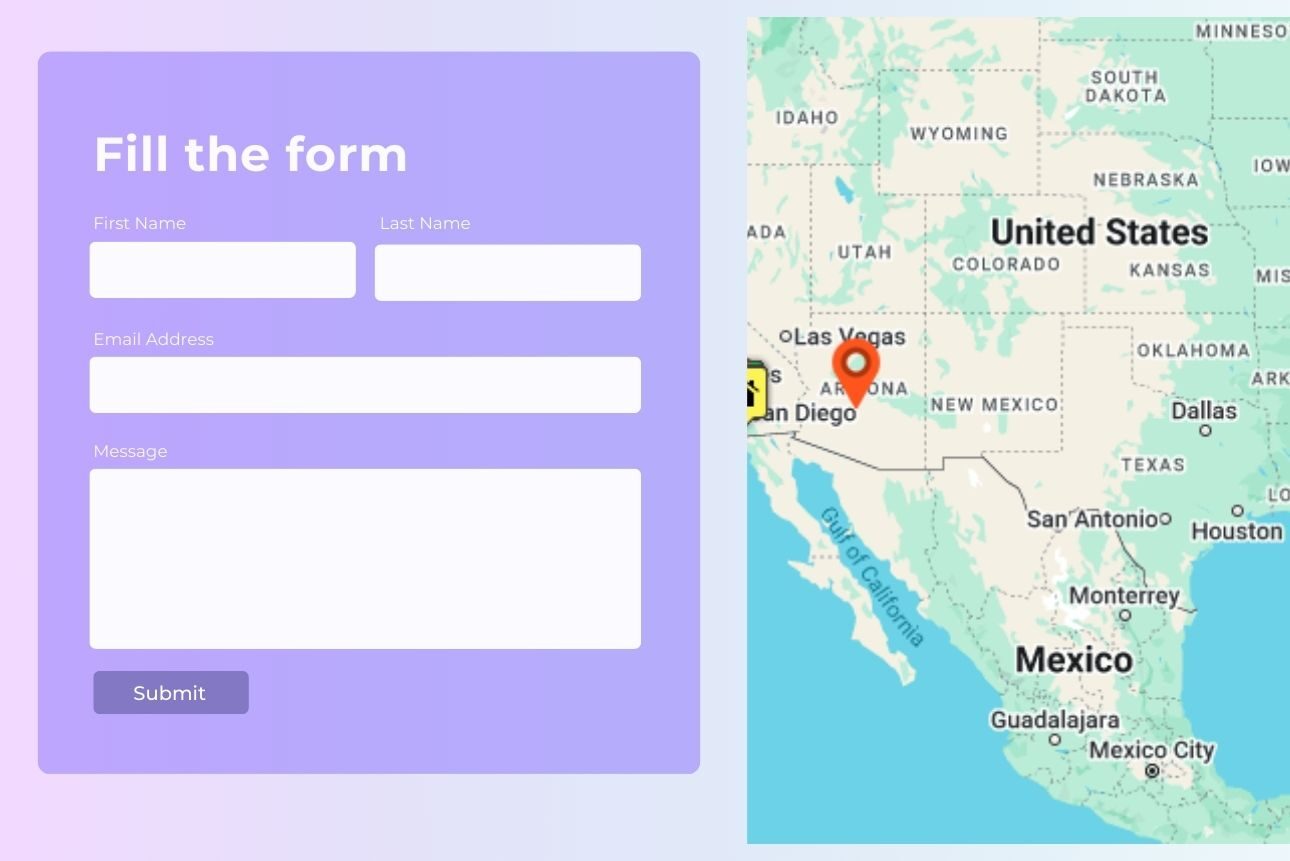
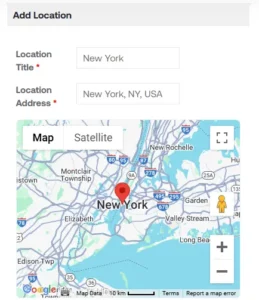
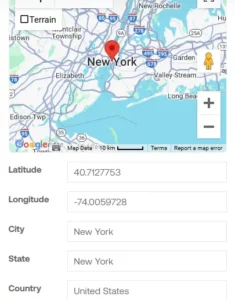
But here’s where things get more exciting—the Frontend Submissions on Google Maps extension takes it to the next level by allowing visitors to Google map ‘New Location’ add or submit their locations directly onto your maps, making them more engaging and user-driven than ever.

Curious to know how this plugin plus extension combo can transform your website into a buzzing hub of activity? Jump into the blog and discover the endless possibilities of the frontend on Google Maps extension integrated with the WP Maps Pro plugin!
What Is the WP Maps Pro Plugin?
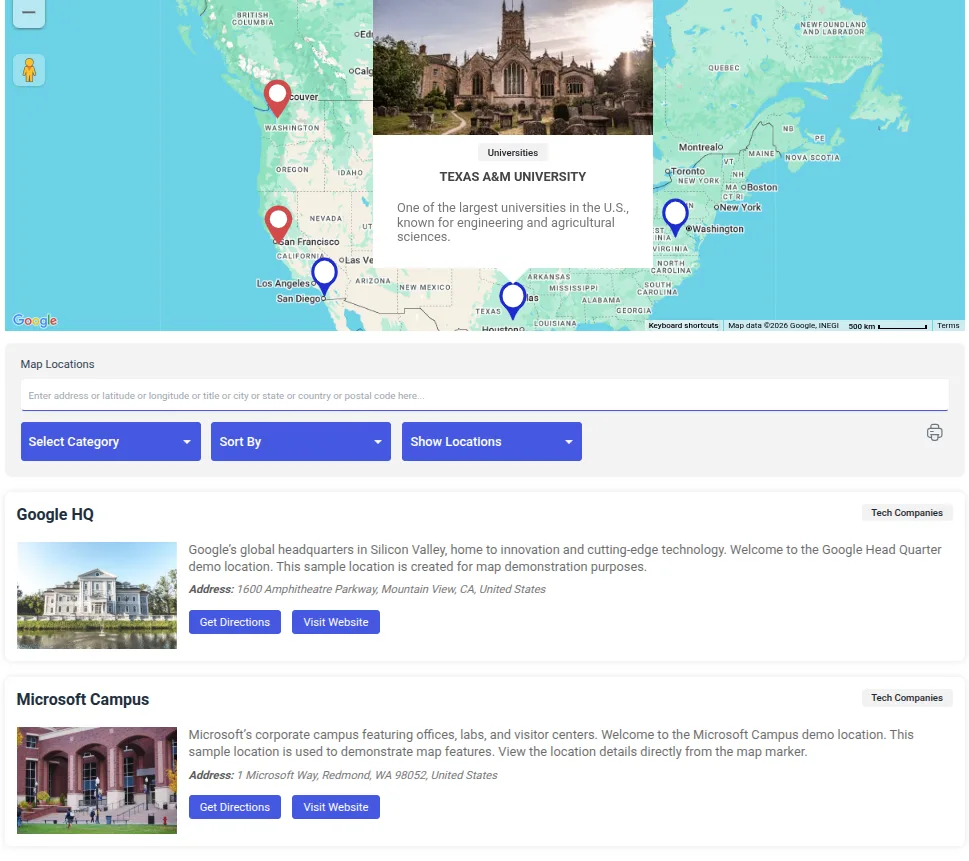
WP Maps Pro is your go-to plugin for creating interactive Google Maps and adding them to your WordPress site. It lets you display posts, pages, or custom content right on the map with customizable markers and pop-ups.
Whether you’re showcasing routes, adding filters, or making your maps mobile-friendly, this plugin has you covered. Easy to set up and compatible with most themes, WP Maps Pro is perfect for travel blogs, business directories, or any site that needs dynamic, user-friendly maps.
What Is Frontend Submissions on Google Maps?
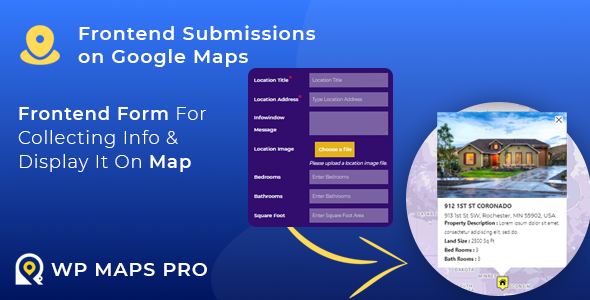
The Frontend Submissions on Google Maps is an extension for WP Maps Pro that allows you to seamlessly gather information from visitors through an intuitive frontend form and showcase their submissions dynamically within the WP Maps Pro plugin.
Think about it: wouldn’t you love to transform your static map into a buzzing hub of user activity? That’s exactly what enabling front-end submissions does for your map. By making data collection and visualization a breeze, this extension revolutionizes how your audience interacts with your business.
The frontend on Google Maps extension for WP Maps Pro isn’t just another feature—it’s a powerhouse of possibilities. So, let’s break down why it’s a game-changer for creating interactive and user-driven maps.
1. User-Friendly Submission Form
The extension offers a sleek and intuitive form that anyone can use—no technical know-how required. Your visitors can easily submit locations with details like names, descriptions, images, and more. It’s so simple that even first-time users will breeze through it.
2. Customizable Fields for Precision
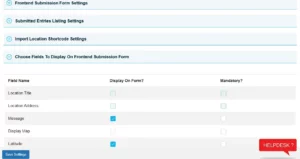
Every website, including yours, has unique needs, right? This extension gets it. You have full control to decide which fields to include in the form. Want users to upload photos, add contact details, or need mandatory fields to keep submissions relevant? You’re covered!

3. Seamless Integration with WP Maps Pro and Google Maps
Once a user hits “Submit,” their data is instantly mapped on Google Maps. No manual updates, no extra work. Plus, with WP Maps Pro’s advanced features, you can make these maps look stunning and interactive for your visitors.


Practical Applications of Frontend Submissions Across Industries
The Frontend Submissions on Google Maps extension is versatile and can transform maps for different industries into an interactive powerhouse.
1. Travel and Tourism
Imagine a travel blog where adventurers can share hidden gems found along their journey—a quaint café in Paris, a secret beach in Bali, or the best hiking trail in the Rockies. With frontend submissions, users can mark their favorite spots and enrich the map with their stories.
2. Real Estate
This extension is a lifesaver for real estate agencies. Agents and property owners can directly submit listings with details like price, features, and photos. Buyers get instant access to an up-to-date map of available properties, making house-hunting a breeze.
3. Event Management
Planning an event? Let your community get involved! With Frontend form WordPress, organizers can mark event venues, and attendees can share their favorite spots nearby, like parking areas or after-party locations. It’s a collaborative way to enhance the event experience.
4. Local Business Directories
This feature lets businesses add their details to your map, from restaurant guides to local service listings. Think Yelp, but tailored for your specific niche. It’s perfect for creating a buzzing community hub.
5. Non-Profit and Community Projects
For non-profits, this tool is gold. Whether it’s crowd-mapping clean water sources, marking food bank locations, or creating a community garden map, users can contribute in meaningful ways that make a difference.
Tips to Maximize User Engagement with Frontend Submissions
Now, let’s see how we can take your Frontend Submissions on Google Maps to the next level. Here are some pro tips to keep your users hooked and coming back for more:
1. Spread the Word
Promote your submissions feature across social media, newsletters, and blog posts. Let your audience know they can actively contribute. Run campaigns that showcase how user contributions are making a difference—this can inspire more people to get involved.
2. Offer Incentives
Everyone loves a reward! Recognize top contributors by featuring their submissions or offering discounts to participating businesses. Add a fun element by gamifying the experience—think badges, leaderboards, or exclusive perks for active contributors.
3. Make It Mobile-Friendly
Ensure your map and submission form function seamlessly on mobile devices. A clunky experience can frustrate users and drive them away. Regularly test the interface across various devices to maintain a smooth and consistent user experience.
4. Engage with Submissions
Show appreciation by highlighting new contributions on your homepage or social channels. Acknowledgement keeps contributors motivated. Share personal stories or testimonials from contributors to strengthen your connection with the audience.
5. Keep It Simple
Don’t overwhelm users with lengthy forms. Focus on essential fields to make the submission process quick and intuitive. Use placeholder text or tooltips to guide users effortlessly through each step.
Challenges and Solutions: Keeping Frontend Submissions Smooth and Effective
Even the most powerful tools can come with a few challenges along the way. Here’s a quick rundown of common challenges you might face with Frontend Submissions on Google Maps—and, more importantly, how to solve them.
Challenge 1: Dealing with Spam or Irrelevant Submissions
Nobody wants their map filled with gibberish or ads. Activate moderation settings to review every submission before it goes live. Add a CAPTCHA to your submission form to block bots and keep your map clean and user-friendly.
Challenge 2: Inaccurate or Incomplete Data
Some users might skip key details or submit incorrect information. Use mandatory fields to ensure essential details like location, description, or images are included. Provide clear instructions on what users need to submit to minimize confusion.
Challenge 3: Keeping the Map Organized with High Submission Volumes
Too many submissions can make your map look cluttered and hard to navigate. Take advantage of the extension’s filtering and category features. Organize markers into specific groups so users can find exactly what they’re looking for without the hassle.
Conclusion
The WP Maps Pro Plugin, along with the Frontend Submissions on the Google Maps extension, revolutionizes the user experience by turning static maps into dynamic, user-driven hubs. It allows your audience to actively participate with each other, creating a sense of community.
Whether it’s sharing travel spots, showcasing real estate listings, submitting reviews, or enhancing local directories, the Frontend Submissions offers endless possibilities for users to make their maps truly interactive and user-driven.
With intuitive forms, customizable fields, and seamless data integration with the WP Maps Pro plugin and Google Maps, the extension simplifies data collection and visualization for a smooth user experience.
So, why wait? Get the WP Maps Pro plugin with the Frontend Submissions Extension today to create an engaging platform that boosts traffic, enhances interaction, and adds lasting value for your users.