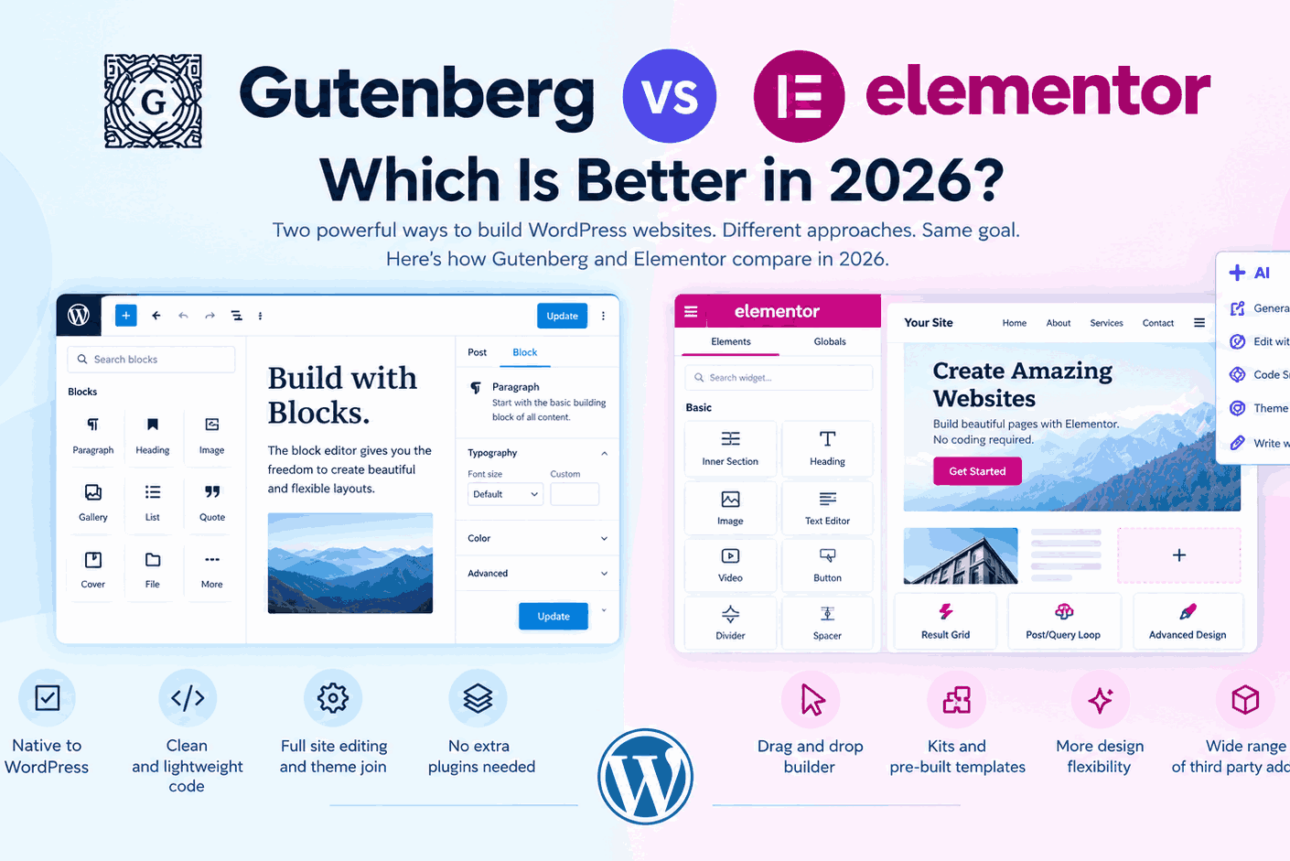
Gutenberg vs Elementor comes down to how you want to build and manage your WordPress website.
Gutenberg, the default WordPress block editor, is a good choice for users who want a straightforward way to create content, build pages and keep their website closely integrated with WordPress.
Elementor is better suited to users who want greater visual design control, drag and drop editing, ready made layouts and advanced page building features. In 2026, both editors continue to evolve, with WordPress expanding its block based editing experience and Elementor offering advanced design tools and AI integrations, including Elementor MCP.
The right choice depends on your design needs, budget, technical comfort and how much control you want over your website.
Introduction to Gutenberg and Elementor
Before comparing Gutenberg vs Elementor, it is important to understand that both tools help you create and edit website content, but they approach the task differently.
What Is Gutenberg in WordPress?
Gutenberg is the name commonly used for the WordPress block editor. It comes built into WordPress and lets you create pages and posts by adding individual blocks for text, images, headings, buttons, galleries, columns and other content.
Instead of writing everything in one large content area, you build a page by arranging blocks. Each block has its own settings, so you can change its appearance and content without editing code.
For example, if you are creating a service page, you can add a heading, introduce your service, insert an image, display benefits in columns, add customer testimonials and finish with a call to action.
WordPress also offers the Site Editor when you use a compatible block theme. This lets you manage more than page content, including headers, footers, templates, navigation and global styles.
Learn more in the official WordPress Block Editor documentation and the WordPress Site Editor guide.
What Is Elementor in WordPress?
Elementor is the most popular visual website builder for WordPress. It gives you a live editing interface where you can drag elements onto a page, arrange them and adjust their appearance while viewing the design.
You can build layouts with headings, text, images, buttons, videos, forms, testimonials, pricing tables and many other elements. You can also use pre designed templates and sections instead of starting from a blank page.
Elementor is particularly useful when the visual presentation of a page matters. For example, a marketing landing page may need a carefully arranged hero section, custom spacing, background images, feature cards, testimonials and several calls to action. Elementor makes these adjustments accessible through visual controls.
Elementor has a free version and paid Pro plans. The available features depend on the version and plan you choose.
Visit the official Elementor website builder page for product information.
Gutenberg vs Elementor: Understand Main Differences
The biggest difference in both page builders is the way you create and control a page.
With Gutenberg, you work with blocks inside the WordPress editing experience. With Elementor, you work inside a dedicated visual builder that provides more direct control over the appearance of individual elements.
| Feature | Gutenberg | Elementor |
|---|
| Included with WordPress | Yes | No, install the plugin |
| Main editing experience | Block based editor | Visual drag and drop editor |
| Create blog posts | Excellent | Possible, but often unnecessary |
| Create custom landing pages | Good with patterns and suitable themes | Excellent for detailed visual layouts |
| Ready made layouts | Block patterns and theme patterns | Templates, sections and layout kits |
| Design control | Depends on blocks and theme | Extensive visual controls |
| Responsive adjustments | Available through supported blocks and theme controls | Dedicated responsive design controls |
| Header and footer editing | Site Editor with compatible block themes | Theme Builder with eligible Elementor plans |
| Forms and popups | Usually requires suitable blocks or plugins | Advanced options available with eligible Pro plans |
| AI assisted page creation | Depends on available WordPress tools and plugins | Elementor AI tools and MCP integrations |
| Additional cost | Core editor is included | Free core plugin plus optional paid features |
| Best suited to | Content publishing and block based website building | Visual design and custom page building |
This table compares the general editing experience. Some features depend on the active theme, additional plugins, Elementor plan and the particular WordPress version.
Gutenberg Editor: What Can You Do With It?
Gutenberg has developed well beyond a basic editor for blog posts. It provides tools for creating content layouts and, with a compatible block theme, managing much of the website’s design.
Gutenberg Blocks for Text, Images and Page Content
Blocks are the foundation of Gutenberg. You can insert headings, paragraphs, images, lists, buttons, videos, galleries, tables and other elements.
You can move blocks, duplicate them, change their settings and rearrange the order of your content. This makes it easier to maintain a consistent structure across blog posts and ordinary pages.
For people who publish articles regularly, this is one of Gutenberg’s biggest advantages. The editor keeps writing and page formatting in the same workspace.
Gutenberg Patterns for Faster Page Building
Block patterns are ready made arrangements of blocks that you can insert into a page and customize.
For example, you might use a pattern containing a heading, an image and a text section, or one containing three feature cards with icons and descriptions.
Patterns save time because you do not need to build every section from scratch. You can also create your own patterns and reuse them on other pages.
WordPress supports synced patterns too. When a synced pattern is updated, the change can appear everywhere that pattern is used. This is helpful for repeated content such as a promotional banner or contact section.
Learn more in the official WordPress block patterns guide.
Gutenberg Site Editor for Headers, Footers and Templates
With a compatible block theme, the Site Editor lets you customize your website’s overall design.
You can edit the header, footer, navigation, page templates, blog layouts and global styles. This reduces the need to use separate tools for every part of your website.
For example, you could update the footer layout once instead of manually changing the footer on every page.
The important distinction is that full site editing depends on using a block theme or a theme that supports the relevant features. Not every WordPress theme provides the same editing options.
Gutenberg Global Styles and Design Controls
The Site Editor provides global style settings for elements such as typography, colors, spacing and layout, depending on the theme and available controls.
This helps you maintain a consistent visual identity. If your brand uses a particular heading font and button color, you can define shared styles instead of repeatedly adjusting each element.
Individual blocks also provide their own settings, although the amount of design control varies by block and theme.
Gutenberg Reusable Content and Layouts
Gutenberg allows you to reuse patterns and content arrangements across your website.
This is useful when you want similar call to action sections, feature lists or promotional content on several pages. You can reuse a design while avoiding the work of rebuilding it each time.
Be aware of the difference between an ordinary pattern, which can be customized independently after insertion, and a synced pattern, which shares its updates across uses.
Gutenberg Pros and Cons for WordPress Users
Advantages of Gutenberg for WordPress Users
- Already included with WordPress: You can start creating content without installing a separate page builder.
- Convenient for publishing: Writing, headings, images, links and other content elements are available in one editing experience.
- Good for consistent content: Patterns and synced patterns help maintain repeatable layouts.
- Supports full site editing: Compatible block themes let you customize templates, headers and footers.
- No separate page builder licence: The core editor is included with WordPress.
- A strong starting point for performance: A simple Gutenberg page can avoid the extra assets associated with some page builder setups, although the theme, plugins, images and implementation still determine actual performance.
Disadvantages of Gutenberg for WordPress Users
- Design flexibility varies: Some advanced layouts require extra blocks, a suitable theme or additional plugins.
- The learning curve can be confusing at first: Understanding blocks, patterns, templates and the Site Editor takes time.
- Visual controls differ: Not every block offers the same level of control over spacing, responsive behavior, animations or styling.
- Advanced designs may take longer: Building a highly customized landing page can involve more steps if your theme and blocks do not provide the layout you need.
Gutenberg is not automatically limited in design, and it is not automatically faster in every situation. The result depends on how your site is built.
Elementor Features: What Can You Build With this Page Builder?
Elementor focuses on visual page creation. It’s main attraction is that you can see the layout while arranging elements and adjusting their settings. With this page builder you can create simple to complex landing pages for WordPress sites very quickly. Its used and trusted by WordPress websites of all sizes.
Elementor Drag and Drop Page Building
Elementor lets you add elements to a page, move them around and change their appearance using visual controls.
You can adjust typography, colors, margins, padding, backgrounds, borders, alignment and other design settings without writing CSS.
This approach is especially useful for people who want to control the appearance of a page without learning the technical details of HTML and CSS.
Elementor Templates and Pre Built Layouts
Elementor offers templates and ready made design sections that you can adapt to your own content.
You can start with a landing page layout, replace the text and images, adjust the colors and publish a customized version. This is useful when you need to launch campaign pages or business websites quickly.
Templates still need to be reviewed for your brand, content, accessibility, mobile layout and performance. Importing a template does not automatically make a page ready for publication.
Elementor Responsive Design Controls
Elementor provides controls for adjusting how a design appears on desktop, tablet and mobile devices.
You can change layout settings, spacing, typography and element visibility at supported responsive breakpoints.
This is particularly useful for landing pages where you want the desktop layout to have several columns while the mobile version stacks the same content vertically.
Always preview the actual published page on different screen sizes. Responsive settings are helpful, but they do not replace testing.
Elementor Theme Builder for Headers, Footers and Templates
Eligible Elementor plans include Theme Builder features for designing parts of your website, such as headers, footers, single post templates, archives and other theme areas.
This means you can control the layout of many pages through templates instead of designing every page separately.
For example, you can create one blog post template that defines the featured image, title, author details, content area and related posts section.
The exact features available depend on your Elementor plan and configuration.
Elementor Widgets, Forms and Marketing Features
Elementor provides widgets for common page elements, including buttons, images, icons, testimonials, galleries and calls to action.
Eligible Pro plans add further features such as advanced forms, popup building, dynamic content and WooCommerce design tools.
These features are valuable for businesses that use landing pages to collect enquiries, promote services, display products or encourage purchases.
The advantage is convenience. Depending on your requirements, Elementor may reduce the need for several separate add ons. However, you should still evaluate the features, costs and maintenance needs of your complete plugin setup.
Elementor Global Styles and Design Consistency
Elementor provides global settings and reusable design options to help you maintain consistent colors, typography and other visual choices.
Its newer version 4 direction also introduces a more systematic approach to design through classes, variables and reusable components.
These capabilities are useful when you want the same button styles, spacing rules or visual components across many pages. Availability and migration considerations depend on the version and features enabled on your site.
Elementor Pros and Cons for WordPress Users
Advantages of Elementor for WordPress Users
- Easy visual editing: You can see how a page is taking shape as you build it.
- Greater design control: Detailed styling controls make custom landing pages easier to create.
- Templates save time: Start with an existing layout rather than building every section manually.
- Responsive editing: Adjust layouts for different screen sizes from the same editor.
- Advanced website features: Eligible plans support theme templates, forms, popups, dynamic content and online store design.
- AI assisted workflows: Elementor offers AI capabilities, and its MCP integration opens up additional ways to create and edit pages through compatible AI tools.
Disadvantages of Elementor for WordPress Users
- Some features require payment: Advanced widgets, theme building and marketing tools depend on the plan.
- An additional plugin is required: Elementor is not part of the standard WordPress installation.
- Performance needs attention: Extra widgets, animations, third party add ons and large media files can increase page weight if not managed carefully.
- More options can mean more decisions: The extensive settings can feel overwhelming to beginners.
- Long term maintenance matters: Your website depends on Elementor and any related extensions you use. Switching builders later can require rebuilding layouts or cleaning up content.
Elementor is not necessarily slow, and Gutenberg is not necessarily the best option for every website. Performance depends on the implementation, hosting, theme, media and other plugins.
Gutenberg vs Elementor for SEO and Website Performance
Search visibility is an important consideration when choosing a WordPress editor. Both Gutenberg and Elementor can be used to build SEO friendly pages, but neither editor guarantees higher rankings.
Which Is Better for SEO: Gutenberg or Elementor?
Both can support good SEO when you use proper headings, descriptive page titles, useful content, internal links, accessible images and a clear site structure.
Gutenberg makes it straightforward to organize articles with headings, paragraphs, lists, images and other standard content blocks. Elementor gives you more visual control over the presentation of landing pages and other marketing content.
Your SEO plugin, WordPress theme, page structure, metadata, content quality and technical setup also matter. Choosing an editor should not replace a proper SEO strategy.
Which Editor Is Faster: Gutenberg or Elementor?
A simple Gutenberg page may require fewer front end resources than a similarly designed page built with a page builder. That can make Gutenberg a sensible starting point for performance conscious websites.
However, a carefully optimized Elementor page can also perform well. Conversely, a Gutenberg site with a heavy theme, oversized images and too many plugins can be slow.
For either editor, focus on:
- Optimizing images and using suitable modern image formats.
- Reducing unnecessary widgets, blocks and third party extensions.
- Using good hosting, caching and a content delivery network where appropriate.
- Avoiding excessive animations and large background videos.
- Testing real pages with Google PageSpeed Insights.
Compare pages that serve the same purpose and contain similar content. That gives you a more meaningful performance comparison than comparing two unrelated websites.
Gutenberg vs. Elementor: Where AI Integration Actually Stands in 2026
AI is changing how people build websites. Instead of manually creating every section, users can increasingly describe what they want and use AI to generate content, layouts or other website elements.
However, AI integration works differently in the WordPress block editor and Elementor.
Gutenberg and AI Integration
WordPress is working toward broader AI integration across the platform. Its roadmap identifies AI as an area of focus, alongside improvements to editing and collaboration. Read the WordPress roadmap for official information.
The Gutenberg experience itself continues to evolve through improvements to blocks, patterns, site editing and collaboration. AI capabilities depend on the tools, plugins and integrations available in a particular WordPress installation.
For ordinary WordPress users, this means Gutenberg remains a flexible foundation. You can use it with compatible AI tools to assist with writing, generate content or help create layouts, but you should not assume every WordPress installation has the same built in AI page generation features. AI core team is working to make your page building experience better by bringing AI integration in Gutenberg editor
Elementor AI for Faster Page Creation
Elementor offers AI assisted capabilities within its website building ecosystem. Depending on the product and plan, these can help with content, images, layouts, code and other parts of website creation.
The benefit is that you can combine visual editing with AI assistance. For example, you might ask an AI tool to help draft a landing page, generate a section or suggest content, then review and refine the result in the editor.
AI generated content still needs human review for accuracy, originality, brand voice, accessibility and SEO quality.
Elementor MCP: Build Directly with the Elementor Builder Through Prompts
One of Elementor’s notable developments is its Elementor MCP integration, which connects compatible AI tools to Elementor so they can create and edit real Elementor page structures.
Visit the official Elementor MCP page for current details. Here is the guide for understanding what is MCP server and its related terminology
MCP stands for Model Context Protocol. In practical terms, it provides a structured way for compatible AI tools to interact with supported website capabilities.
Instead of asking an AI tool only to suggest a page design, you can connect it to your Elementor site and ask it to help build or modify page content within the supported workflow.
What Can Elementor MCP Do?
Elementor’s published information describes MCP workflows that can help with page creation and editing. The available capabilities depend on the current integration, connected tools and any required additional products.
- Build pages and layouts: Generate page structures with content and styling.
- Edit existing pages: Ask an AI tool to revise or redesign supported existing layouts.
- Work with design systems: Apply supported classes, variables, responsive breakpoints and styling rules.
- Create site templates: Work with supported headers, footers, archives, popups and display conditions.
- Use existing components: Place supported components and populate their fields.
- Connect dynamic content: Work with supported post fields, custom fields and taxonomies.
- Support broader WordPress workflows: With the required integrations, extend AI assisted work to additional WordPress capabilities.
Some advanced capabilities depend on additional products, including Angie, and the availability of the relevant APIs or integrations. They should not be assumed to be included in every Elementor installation.
Which AI Tools Can Connect to Elementor MCP?
Elementor’s published launch information lists compatible tools including Claude, Codex and Cursor, with setup options for other MCP compatible tools. Check the official documentation for current compatibility and setup requirements.
This creates a different workflow from using a visual editor alone. You can describe the page you need in natural language and let a connected AI tool work with the supported Elementor structures.
The resulting page remains editable in Elementor, so you can inspect it and make changes through the familiar visual interface.
Is Elementor MCP Free?
Elementor states that connecting to MCP is free, but the cost of using a connected AI tool depends on that tool’s pricing and credits. Access to Elementor Pro features still depends on having the relevant plan.
Review the official Elementor MCP page for current compatibility, setup instructions and feature requirements before implementing it.
Is Elementor MCP Better Than Building Pages Manually?
MCP can make repetitive page building and layout changes faster, especially when you have a clear brief and consistent design system. It may be particularly useful for creating landing pages, updating existing layouts or applying the same design rules across multiple pages.
However, it does not eliminate the need to review the output. You should check the layout, content accuracy, responsive behavior, accessibility, links and performance before publishing.
For users who prefer visual editing, Elementor remains useful even when AI is involved. MCP adds another way to work with the editor rather than replacing the editor itself.
Gutenberg vs Elementor: Which Editor Should You Choose in 2026?
The best editor depends on what you want to achieve and how you prefer to work.
Choose Gutenberg if You Mainly Publish Content
Gutenberg is a strong choice if your main work involves blog posts, articles, standard business pages and regular content updates.
It is especially suitable when you want to use the default WordPress editor, keep your workflow simple and avoid paying for a separate page builder. If you use a compatible block theme, you can also customize much of the site’s overall design.
Choose Elementor if You Need More Visual Design Control
Elementor is a strong choice if you regularly build landing pages, service pages, campaign pages, portfolios or other layouts that require detailed visual adjustments.
It is particularly useful when you want to work with templates, control responsive layouts and use advanced design and marketing features without manually coding them.
Choose Elementor if AI Assisted Page Building Is a Priority
If your workflow would benefit from describing a page in natural language and having a compatible AI tool build or edit Elementor layouts, MCP is worth exploring.
It can help reduce repetitive work, but it should be evaluated alongside your budget, AI tool costs, existing site setup and willingness to review generated pages.
Recommended Sources and Links
For further reading, here are some authoritative resources referenced throughout this article.
Final Recommendations
Gutenberg is the natural starting point for most WordPress users who want to publish content and build straightforward pages. It is built into WordPress, supports reusable layouts and can provide broader site editing when paired with a compatible block theme.
Elementor is the better fit when visual design flexibility, templates, detailed responsive controls and advanced page building features are more important. Its AI tools and MCP integration also offer a promising route toward faster page creation through natural language instructions.
There is no single winner for every website. If you mainly write and publish content, start with Gutenberg. If you frequently create visually distinctive landing pages or want to explore AI assisted Elementor page building, consider Elementor.
Whichever you choose, prioritize useful content, accessible design, mobile usability, site performance and a workflow you can maintain over time.