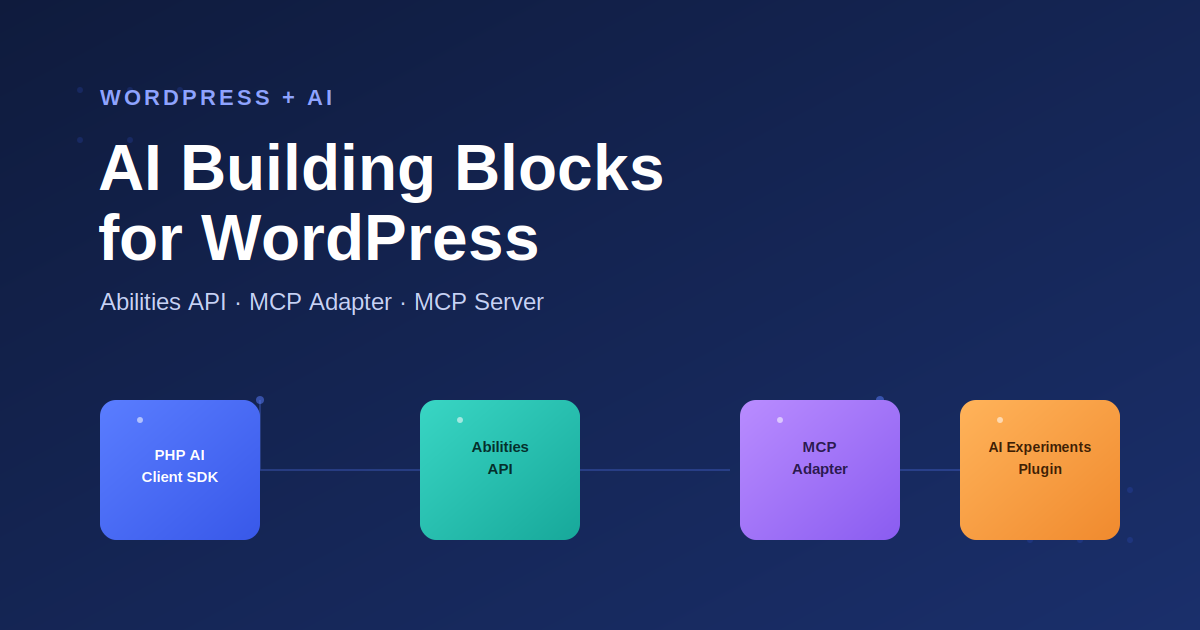
The WordPress AI Team has recently rolled out a set of shared AI Building Blocks — including the WordPress Abilities API and the WordPress MCP Adapter — that let WordPress talk to AI providers and AI agents like Claude in a standard way, instead of every plugin reinventing its own integration. Here’s a quick breakdown of the four pieces.
1. PHP AI Client SDK: One API for Every WordPress AI Provider
Instead of writing separate integration code for OpenAI, Anthropic, Google, or any other provider, you write against this SDK once. It’s shipped as two Composer packages: a platform-agnostic PHP package usable outside WordPress too, and a WordPress-specific layer adding REST endpoints, API key storage, and a simple AI_Client::prompt() call. Your users get to pick their preferred provider instead of being locked into yours.
2. WordPress Abilities API: A Central Registry for What WordPress Can Do
WordPress can already do a huge amount, but that knowledge is scattered across functions, hooks, and endpoints with no central index. The Abilities API creates one: plugins, themes, and core can register “abilities” with typed inputs/outputs and a permission check tied into WordPress’s existing current_user_can() system. Once registered, that functionality becomes discoverable — by CLI tools, REST clients, and AI agents alike.
3. WordPress MCP Adapter & MCP Server: Connecting Claude and ChatGPT
MCP (Model Context Protocol) is an open standard that lets AI agents connect to external systems and call functions on them. The WordPress MCP Adapter is the official WordPress plugin that takes abilities registered through the Abilities API and republishes them as a live MCP server an AI client can connect to, query, and call.
Want to try it yourself? We’ve written a full hands-on guide to turning a live WordPress site into an MCP server that Claude Code or Codex can connect to and manage — including setup steps, permission callbacks, and a security checklist: Managing a WordPress Website with Claude Code and Codex.
4. AI Experiments Plugin: WordPress AI Building Blocks in Action
This plugin puts the first three pieces into practice: a real feature for everyday users (starting with automatic post-title generation) and a reference implementation developers can study. It’s expected to grow into a fuller toolkit with WP-CLI integration and visual workflow builders.
How These WordPress AI Building Blocks Are Shipping
Rather than merging straight into core, each piece ships as a Canonical Plugin backed by a Composer package — usable in production today, with core inclusion considered later once the approach proves itself.
The Bottom Line for WordPress Developers
- No more hand-rolled AI provider integrations
- Your plugin’s functionality becomes genuinely discoverable by AI agents, not just humans reading docs
- There’s now an official, secure path for connecting real AI assistants to a live WordPress site
WordPress developers can check out WordPress AI Agent Skills to develop and test WordPress themes and plugins perfectly, following best practices. WordPress AI Agent Skills is listed here on GitHub.
These building blocks are already usable via Composer packages today — well ahead of any core release. If you’re experimenting with AI in WordPress, this is the foundation worth building on.