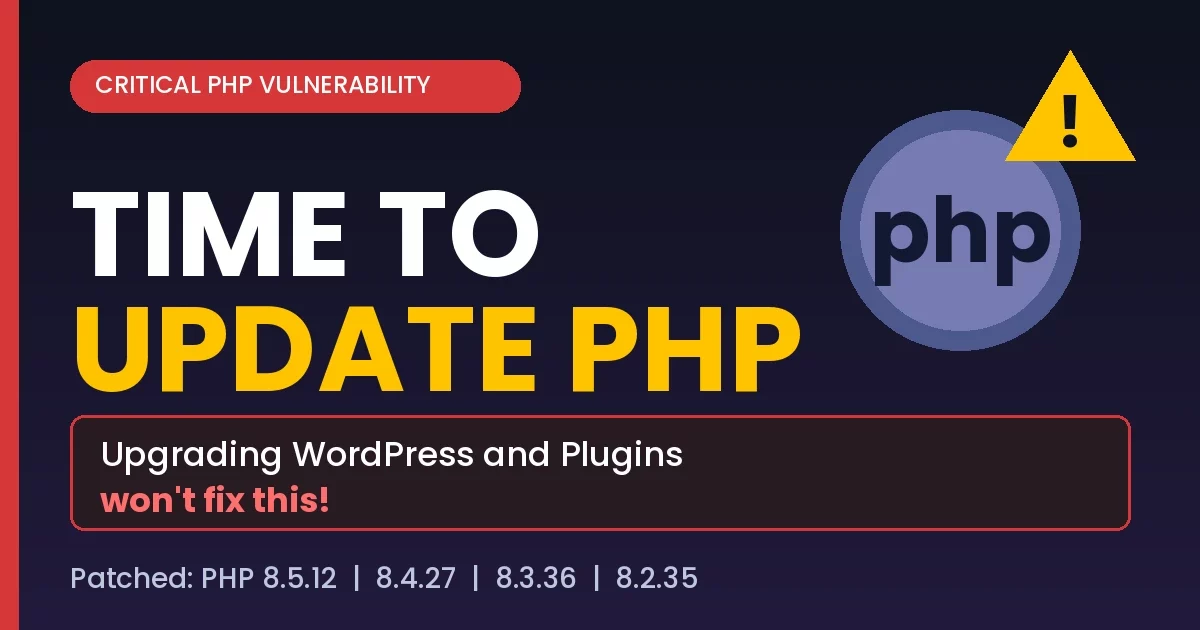
Critical PHP vulnerability alert: On 21st October 2026, the PHP security team released emergency fixes for two critical flaws in PHP itself. The four PHP versions that currently provide patches are PHP 8.5.12, PHP 8.4.27, PHP 8.3.36 and PHP 8.2.35. If your WordPress site runs an unpatched version of PHP, update it right away. Updating WordPress or your plugins will not fix this.
Quick Answer: Is Your WordPress Site Affected by the Critical PHP Vulnerability?
Yes, if your server runs an unpatched PHP version. Two critical PHP flaws let attackers run code on your web server without logging in. Details of the flaws also leaked before the fix was ready, so attackers may already know how to use them. Check your PHP version and update to PHP 8.5.12, 8.4.27, 8.3.36 or 8.2.35.
What Are the Critical PHP Flaws and Why Should WordPress Owners Care?
The PHP security team has fixed two critical vulnerabilities in PHP itself. This is a server-level problem, so it does not come from a theme, a plugin or WordPress core.
- Remote code execution (RCE): the flaws let attackers run code on your web server.
- No login needed: attackers do not have to log in first, which makes this an unauthenticated attack.
- Details leaked early: the details of the flaws leaked before the fix was ready, so attackers may already know how to use them.
Because of this, a WordPress site on an unpatched PHP version is at real risk and should be updated immediately.
Why Updating WordPress or Plugins Won’t Fix This PHP Security Issue
Many site owners assume that clicking “Update” in the dashboard is enough. Here it is not. Updating WordPress core does not change your PHP version. PHP runs on your hosting server, so the update happens in your hosting account or through your hosting provider.
Which PHP Versions Are Patched? (PHP Security Update List)
These are the patched releases that fix the two critical PHP flaws:
| PHP Branch | Patched Version |
|---|
| PHP 8.5 | PHP 8.5.12 |
| PHP 8.4 | PHP 8.4.27 |
| PHP 8.3 | PHP 8.3.36 |
| PHP 8.2 | PHP 8.2.35 |
Outdated PHP Version: What If You’re on PHP 8.1 or Older?
If you’re on PHP 8.1 or older, your version no longer gets regular security updates. You need to upgrade to one of the patched versions listed above.
How to Check Your PHP Version in WordPress (Step 1)
- Log in to your WordPress dashboard.
- Go to Tools » Site Health.
- Click the Info tab.
- Open the Server section to see your PHP version.
How to Update Your PHP Version on WordPress: What to Do Right Now
- Check your PHP version. Use Tools » Site Health » Info » Server, as shown above.
- Back up your WordPress site before you make any changes.
- Update to a patched PHP version. You can usually switch PHP versions from your hosting dashboard. If you can’t find the setting, ask your host to update you to a patched release.
- Check for signs of a break-in. Look for admin users you don’t recognize and files that changed unexpectedly.
Can’t Update PHP Right Away? Ask Your Hosting Provider
If you can’t update right away, reach out to your hosting provider and ask them to apply the fix for you. Hosts such as Bluehost, Hostinger, SiteGround, HostGator, DreamHost and AWS Lightsail let you manage PHP versions from the hosting account. If the update breaks your site, restore your backup and ask your host for help.
Is Your WordPress Site Hacked? Why Updating PHP Is Not Enough on Its Own
Updating PHP stops new attacks, but it won’t remove a hacker who’s already in. After you patch, check your site for:
- Admin users you don’t recognize
- Files that changed unexpectedly
- Any unwanted content added or any content missing from your site
- Check user login logs plus any unwanted bulk requests coming to your website.
If you find either, treat the site as a hacked WordPress site and clean it up. Don’t assume the PHP update alone solved it.
WordPress Security Checklist: Protect Your Site From the PHP Vulnerability
- Check your PHP version in Tools » Site Health
- Back up your site before any change
- Update to PHP 8.5.12, 8.4.27, 8.3.36 or 8.2.35
- Move off PHP 8.1 or older, which no longer gets regular security updates
- Check for unknown admin users and unexpected file changes
- Ask your host to apply the fix if you can’t
Key Takeaway: Time to Update PHP Now
Two critical PHP flaws allow code to run on your server without a login, and their details leaked before the fix was ready. Your WordPress and plugin updates won’t protect you from a server-level PHP flaw. Check your version, back up, update PHP to a patched release and look for signs of a break-in today.
Check out more details about vulnerability and security advisory on cert website and on php official website.