Designing your WordPress webpages from scratch requires advanced technical skills and a lot of time. However, many readymade tools and templates have now made the process easy and quick. Block Patterns, which were released with WordPress 5.8, are among such handy tools.
As a WordPress developer, you are probably aware of the Gutenberg block editor tool, which introduced a modular approach to building an entire website. Since its introduction, the Gutenberg plugin has emerged as the predominant method of creating a WordPress site.
However, most WordPress users are unaware of WordPress block patterns, which are part of the Gutenberg tool. What are block patterns in WordPress? What is a WordPress block pattern and how do you create one? We will discuss the answers to these questions in this article.
What are WordPress Block Patterns?

For their websites, WordPress designers can use the Gutenberg block editor tool to easily create customized layouts for their webpage or posts. A WordPress block is a basic element that can add a predefined element to your webpage or post. Some of these block elements include text blocks, tables, code, or embedding blocks for YouTube videos and social media pages.
Besides this functionality, you can also save time and effort by using predefined layouts, also known as block patterns. You can simply add beautiful layouts using the Block Pattern feature. These WordPress patterns are built with various layout items including:
- Multi-column tables
- Text and media items
- Call to Action or CTA buttons
- Clickable buttons and links
And much more!

Effectively, this means that you no longer have to create a WordPress block from scratch. You can insert predefined patterns with blocks – and then customize them according to your website needs.
How to Use Block Patterns in WordPress
You can use the “Block Editor” tool in WordPress to insert block patterns in your webpage or post.
Here are the steps you need to execute:
- Open the Editor tool for the webpage or post where you want to insert the block pattern.
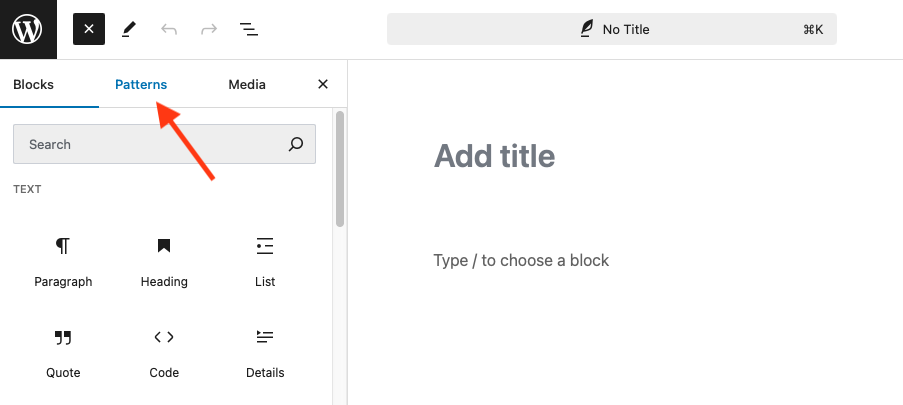
- Click the “Add Block” button to open the block inserter in edit mode.
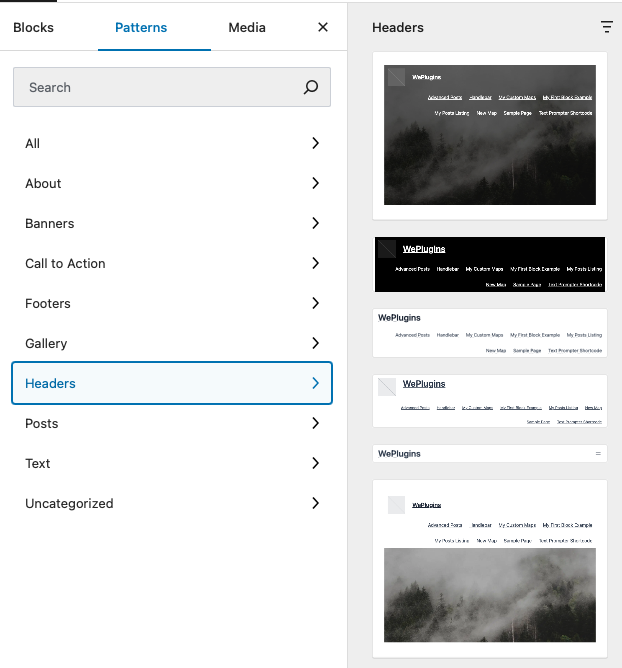
- Switch to the “Patterns” tab to view the available block patterns under each type of pattern in the drop-down list (for example, “Headers” or “Featured”).

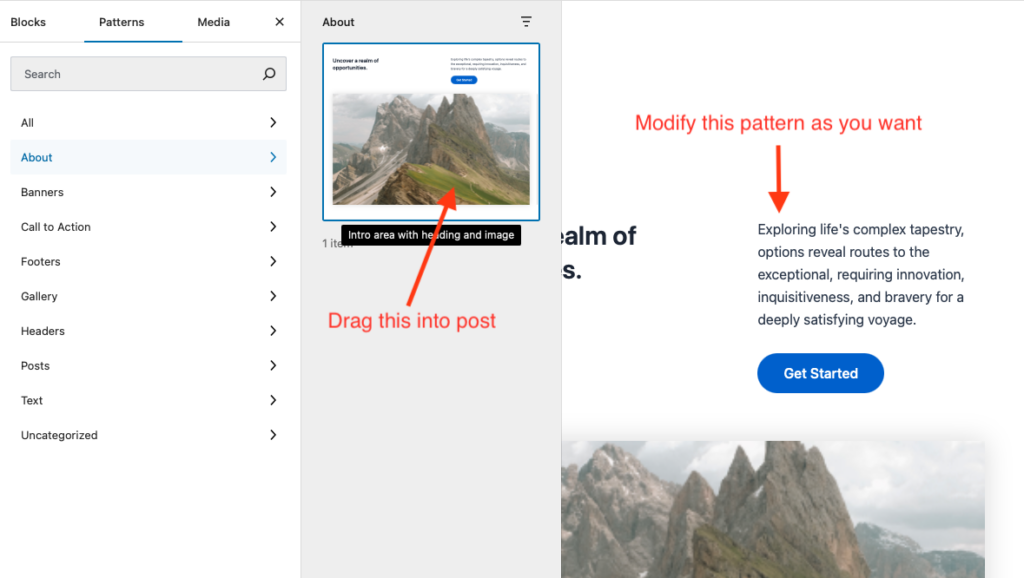
- Select the predefined block pattern and then insert it into your webpage or post.

Once you have added the block pattern, you can edit or modify its content from the Editor tool directly. Based on your requirement, you can add multiple block patterns to your website.
How to find more Block Patterns to use in your WordPress site
The good part is that you don’t need to restrict yourselves to the available block patterns in the Block Editor tool. For starters, you can access new block patterns from the official WordPress Block Patterns library. All you need to do is find the right block pattern and then copy-paste it to your WordPress editor.
In addition to the WordPress block pattern library, you can find more block patterns from third-party libraries like Gutenberg Hub. There are also popular WordPress themes that allow you to add block patterns.
If you wish, you can also create and share your own block patterns with other WordPress users. Let’s see how to do that.
How do I create a pattern block in WordPress?
In the previous section, we spoke about the official WordPress Block Patterns library. You can also use this library to create a new block pattern. Here is how to do it:
- Open the WordPress Block Pattern Directory
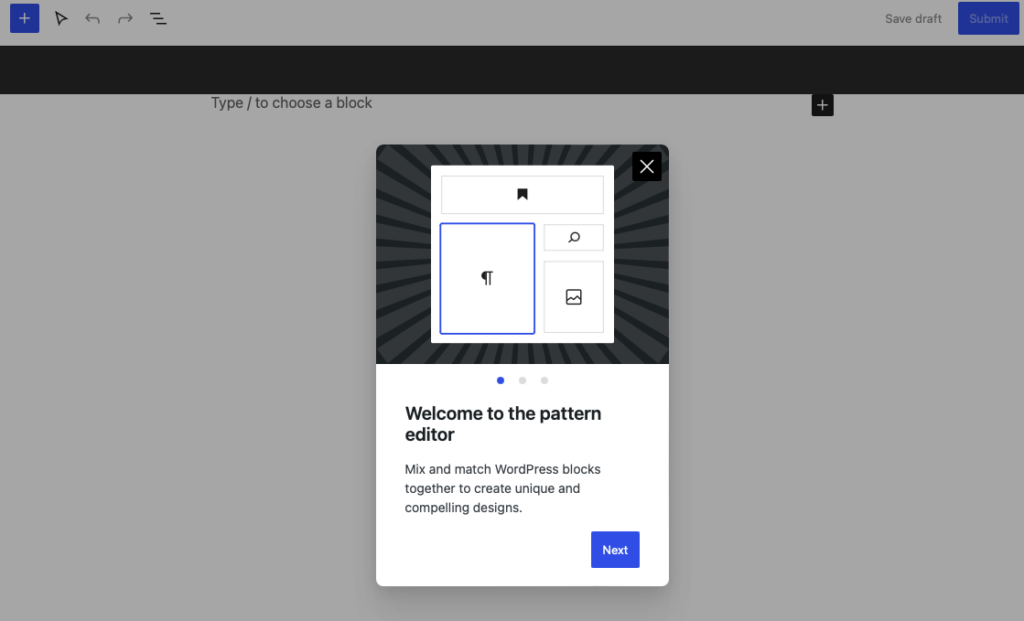
- Click the “Create a new pattern” link and sign into your Block Pattern editor page. This looks similar to the “Block Editor” tool.

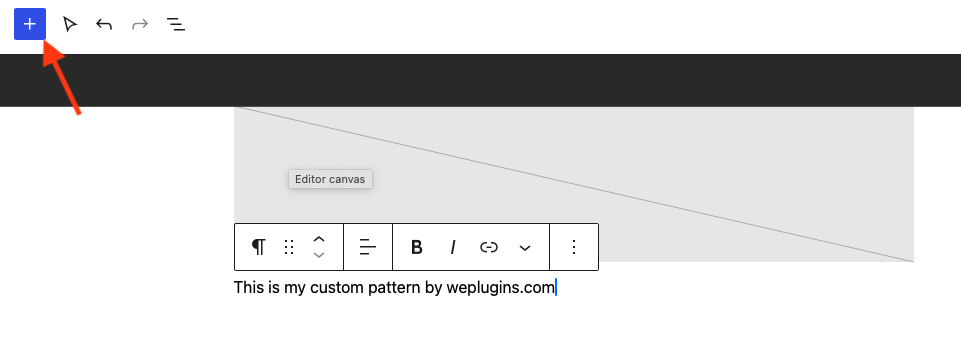
- Design your block pattern by adding the available elements.

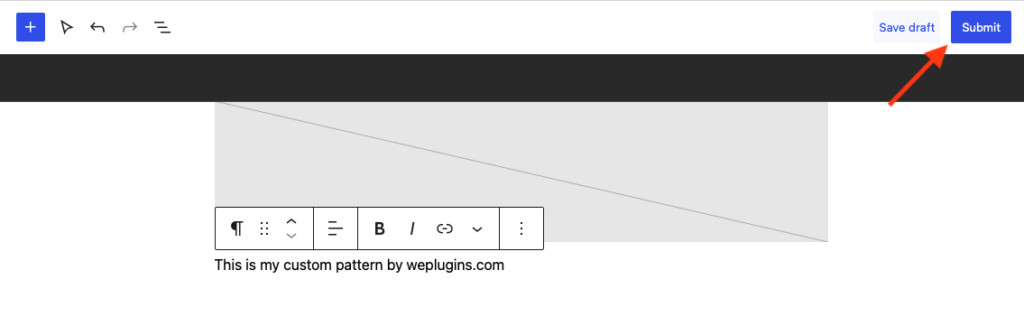
- Once completed, you can save the new pattern block as a draft or submit it for further review. Before submitting, make sure you read and follow the Block Pattern Directory guidelines.

You can then view and share all your created block patterns from the “My Patterns” page.
Alternatively, you can create WordPress block patterns using manual code. Let’s discuss that next.
How to create (and remove) WordPress block patterns using manual code
Using manual code, you can create WordPress block patterns for your customized WordPress theme or custom snippet. Here are the steps to execute:
- Create a new WordPress page (or post) and use the available blocks to create a customized layout.
- Switch to the “Code Editor” tool and copy the displayed code content.
- Paste the code into any text editor like Notepad.
- Next, register the block pattern in the “functions.php” file of your target theme or custom snippet.
- Copy-paste the block code from Notepad as the content parameter in the registered block pattern code.
You can now view the registered block pattern listed in the “Patterns” tab of your WordPress Block Editor. If you want to remove the WordPress pattern block, add the “unregister_my_patterns()” function (along with the name of your block pattern) to your theme’s “functions.php” file or plugin code snippet.
How are WordPress block patterns different from Reusable blocks?
The WordPress tool also provides reusable block functionality, which was introduced before block patterns. Both functionalities were designed to save layout designing time and offer convenience to WordPress site designers.
How are block patterns different from reusable blocks? Here are some notable differences:
- Block patterns are useful when you want to add and customize every instance of the block pattern.
- A reusable block appears the same on every instance where it is added. Hence, when you edit or customize a reusable block, the changes are automatically applied to every instance where the block has been added.
Where should you use a block pattern and a reusable block? Let’s say you want to create and use a block pattern design for customer testimonials. In this case, a block pattern should be used as the main block layout remains the same and differs only in the contained text. On the other hand, reusable blocks are suited for adding a “Call to Action” or CTA button that must appear the same wherever they are added on the website.
Conclusion
Block patterns are a great way to reduce website design time and effort and increase your productivity. They don’t require advanced technical skills to use and can bring out the unique appeal of your website. The step-by-step process explained above to add and create block patterns for your website will help you get started.
Over the years, WePlugins has benefitted its customers with various WordPress-related services in website, plugins, and WooCommerce. Check out our extensive list of blogs. Check out this blog that talks about how to reduce your WordPress website maintenance effort.
If you need help with website designing, we can help you. Send us a message today.